An unofficial blog that watches Google's attempts to move your operating system online since 2005. Not affiliated with Google.

Send your tips to gostips@gmail.com.

September 15, 2006

Google Public Search, Vulnerable to Phishing


Google has a special search service for universities that allows them to create a customized page at google.com/u/name. Eric Farraro managed to use this service to create a Gmail-like login page, by using some simple JavaScript code. Although the page wasn't actually used for phishing (the credentials weren't stored), it was enough for Google to remove the page and temporarily close the registrations for the service.

The page was available at http://google.com/u/gplus and fooled many people that didn't realize the page isn't secured (Google's login uses https) and thought it's a new service from Google.

"Similar 'phishing' sites could be set up at ANY URL. What makes this type of exploit so insidious is that most people would consider the URL to be safe: http://www.google.com/u/gplus. While Google has suffered from similar attacks in the past, most of them have had suspicious URLs, at least to the advanced user. Using the exploit in this service, a malicious attacker could launch phishing sites that even advanced users could fall for," explains the "attacker".

So next time you enter your password on a site, make sure you check the address bar. It's also a good idea to use only secure logins.
Yahoo Mail Shows Captchas

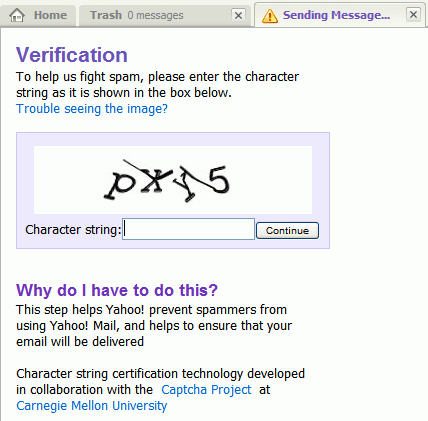
This is just brilliant. The new Yahoo Mail shows captchas when sending email.

"Why do I have to do this?
This step helps Yahoo! prevent spammers from using Yahoo! Mail, and helps to ensure that your email will be delivered."


So now I'm a spammer...

Download Compressed Attachments in Gmail


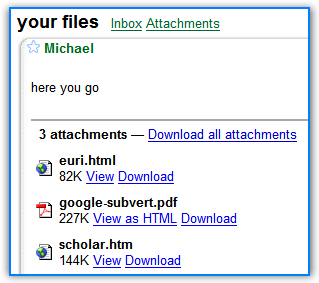
If you get a message in Gmail that contains more than one attachment, it's a good idea to click on "Download all attachments" because you'll get an archive with all your documents. If you receive PDF files, DOC or XLS files and other types of documents, you'll have to wait less until the download finishes, as the archive will be compressed.

But there's a way to download individual attachments as ZIP archives: right-click on the "Download" link, copy the location, paste it in the address bar and replace "disp=attd" with "disp=indzip". This also works well if you receive a single attachment.

Note (June 26, 2008): I replaced "disp=zip" with "disp=indzip" thanks to a paranoid thread.

Remove Google's Top Ads

Here's a cool Google experiment found via Search Engine Roundtable. You know the ads that appear on top of the search results for competitive queries? Well, Google decided that they should remove them if users don't click on the ads.

So here's what you should do to move those ads in the right column: search for something that triggers the blue ads (for example loan) and refresh the page until they disappear. That's it.

"The rationale is that the user does not want to see the ads anyway and it lessens the chance of a poor prospect clicking on an ad. If you clear your cookies, the results will go back to normal."

Related Searches

Most search engines show related searches, that may be useful to refine your query. Maybe you don't know too much about "marketing", and you want to find out some marketing strategies. If you type "marketing" at Windows Live Search, you'll see a list of related searches: "internet marketing", "direct marketing", "search engine marketing" etc. In this case, Windows Live Search finds popular queries that contain your keyword.

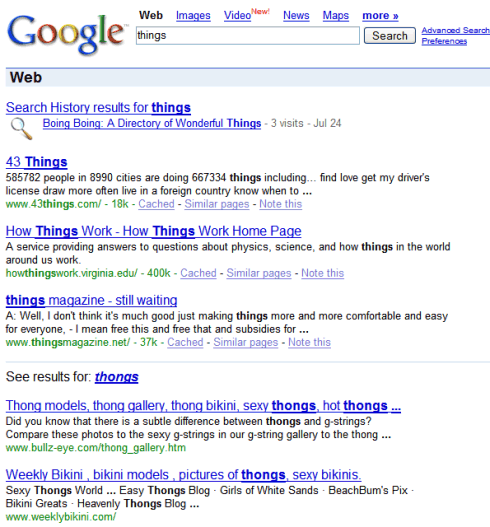
Google doesn't show related searches in the SERP, except for a small number of queries. They only show one refinement and the first three results. Unfortunately the results are far from perfection, as you can see below:


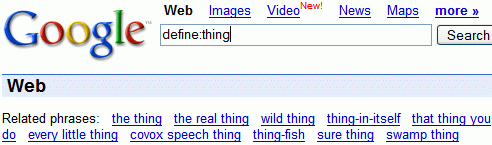
If you want to see related searches in Google, you'll have to use a trick. Type define: in front of your query, and you'll see a list of related searches. As the define operator is used to find definitions, you'll have to remove it to see the search results.

SEO Tips From Google

SEO Egghead compiled 21 tips from Google's Matt Cutts and Vanessa Fox. Some of the most interesting:

* Hiding text using similar colors and background colors can actually be worse than using the same colors.

* If you sell links, Matt says you should use link condoms [rel="nofollow"]. Otherwise your reputation may fall. I assume this means they will devalue your outbound links.

* Assign unique, descriptive title tag and headings to every page.

* Use user-friendly URLs like "african-elephants.html," and not "343432ffsdfsdfdfasffgddddd.html." Don't overdo it either — african-elephants-and-their-habitats-etc-etc-etc-etc.html.

* Minimize the number of URL parameters — 1-2 parameters if possible.

If you think a little, it makes sense: all these tips improve the user experience. Hidden text is not visible to the user, so the page would not be relevant to the search result. The title and the URL are also an indication of the page content. Redirections slow down loading of a page. So if you don't know what to choose in a situation, think what your visitors would choose.

* SEO = optimizing a web page to rank well in search engines

September 14, 2006

Google Personalized Homepage Has Tabs


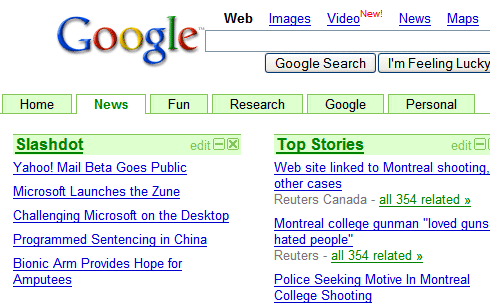
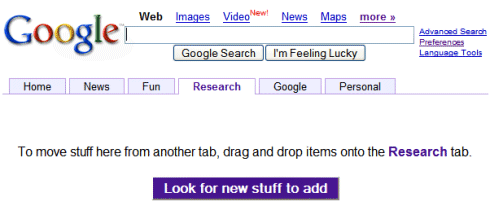
After adding minimize buttons for modules, Google lets you organize the personalized homepage using tabs. If you don't see the tabs yet, in a few hours you'll be able to use them.

You can add at most six tabs, edit their names, drag and drop modules to a tab. Each tab has a different color and you can't change it. Unfortunately, the tabs don't work very well. Douglas, a reader of this blog, says:

"My tabs are crazy right now. I added stuff to one and it added it to all of the tabs.. and they happen to disappear every few refreshes."

If you drag and drop a module, it will keep its position. You'll also notice that changing tabs can take a while. One warning: if you delete a tab, make sure to move the modules in other tabs, otherwise you'll delete them too.


If you have this new feature, tell us what you think about it. Will you use Google's personalized homepage more?

The New Yahoo Mail, Slowly Released


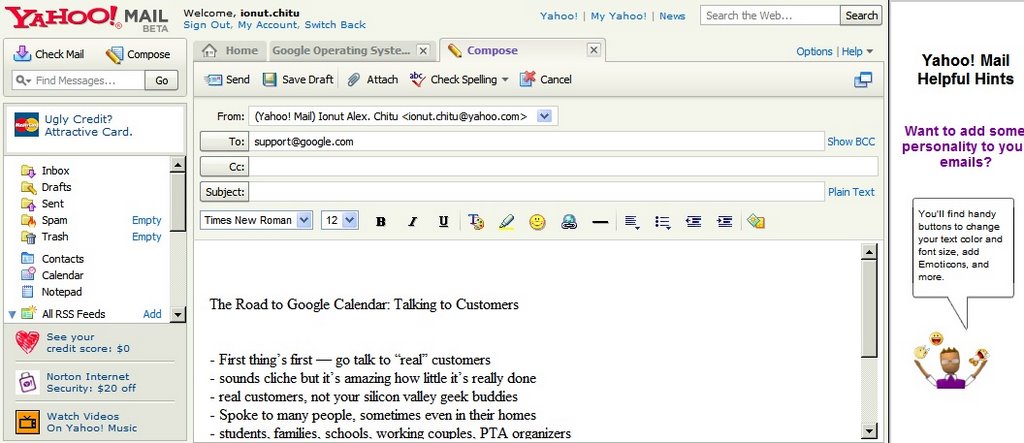
Yahoo has finally decided to release the new Yahoo Mail Beta to the public in the US and other 18 countries. Although Richard MacManus reports that Yahoo launched the new mail yesterday, there's no official announcement from Yahoo and it's likely that they'll slowly invite people to use the new version.

Since my review from January, there aren't too many changes: Yahoo Mail still has 1GB of space; it loads faster, but it still reacts slowly when using the interface; there are many graphical ads and huge animations that distract you from reading your mail; the spam filter has been improved, but it's still inferior to Gmail's spam protection.

The new Yahoo Mail wants to look like a desktop application, an online version of Outlook. It has tabs, so you can compose mail, search and read mail in the same window. Every view shows the entire list of mail, so you don't have to click "Next" multiple times until you find a message. The window has a preview pane so you don't have to open each mail. The contact list is slick, it has an instant search feature, but you don't have use it when composing messages because Yahoo autocompletes email addresses. The feed reader doesn't have an import option yet, but it looks nice: you can customize the font and text size, forward posts, so reading feeds is more pleasant than reading mail.

Because Yahoo's users are more conservative, the new Yahoo Mail doesn't include mail threading, so you can read conversations in context and it still uses folders instead of labels. Search is almost inexistent: there's no advanced search so you can't search for that important mail sent to you in June, there's no word matching so if you search for "cop" you'll find "copy", "copyright", "Copenhagen". There's no preview for attached documents and the settings section looks the same as last year (ugly and cluttered).

Ethan Diamond, director of product management for Yahoo Mail, talks about the product and he's very excited that Yahoo Mail is the most used webmail service with 255 million users, while Gmail comes in fourth place with only 49 million users. Well, in this case, the most popular service is not the best.

There's More Than One Gmail

Although everyone knows Google's mail service as Gmail, Google lost the right to use this name in Germany and UK last year.
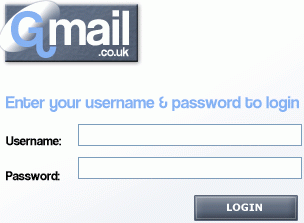
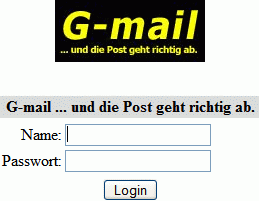
Daniel Giersch has a service called G-mail and he owns the trademark in Germany. His mail system works in a very strange way: "A sender's document is scanned into Giersch's system at its origin, transmitted electronically to a G-mail office in the destination city, printed out at the other end and hand-delivered to its recipient. Giersch also offers users a "secure" gmail.de address, which they can obtain only by verifying their identities with a passport or other official ID card," reports CNet. Giersch plans to sue Google and defend the registrations of the trademark in Switzerland, Norway and Monaco.

In the UK, Gmail is the private mail service for the customers of the Contensis Content Management System. G-mail has also been used by a research firm Independent International Investment Research (IIIR) for its Web-based e-mail product since May 2002. Google ended the trademark dispute with IIIR in October last year and since then every user from UK has a @googlemail.com mail address.

Gmail was also the name of a "sql based vfolder email system", now defunct. Some of its features included:

* Uses a Mysql database as the datastore. This makes gmail very fast for large volumes of email (eg: more than 20,000 messages).

* Up to 255 vfolder views of the mail store. This is the main feature, the idea is that you keep all your mail in one big folder and approach it from different views (querys). It is a powerful way of approaching email management.

* The vfolder filtering is done via SQL filtering. There is sufficient online help to make writing vfolders easy.

* 'matching' facility where messages that don't get caught by your custom vfolders are put into an 'Inbox' vfolder. A caching mechanism based on this 'matched index' also gives fast speeds. Gmail is very fast for super huge mailing lists. You can now subscribe to linux-kernel and not have your mail client slow down!

Picasa 2.5 Out Of Beta


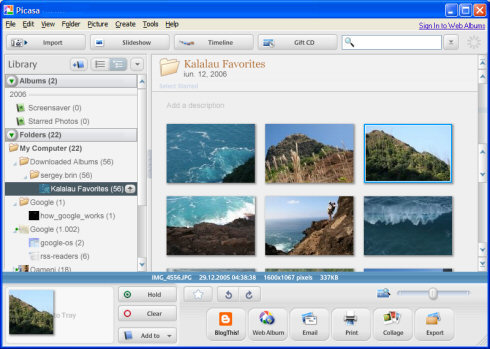
The new version of Picasa, that includes the ability to create web albums and geotag your photos is out of beta. Although Picasa's homepage doesn't mention anything about that, their release notes talk about Picasa 2.5 Build 32.91, September 12, 2006. The last beta version was Beta 3, Build 32.71.

So if you have Picasa 2 and the auto-update feature enabled, you'll have a nice surprise soon. For those who already have Picasa 2.5 Beta, it will be just a minor update.

In addition to the features already mentioned, here are the rest of the new features in Picasa 2.5:

* Nested Folder View. Now you can choose how to display folders in Picasa, whether they're nested or sorted by date.

* Larger thumbnails. The thumbnails are slightly larger, so images are clearer.

* New RAW features. Picasa supports more cameras and RAW formats (including the Canon 30D, Nikon D200, and DNG).

* Save edits to disk. When you edit photos in Picasa, you can choose to save those edits as you go, replacing the original photos with your newly edited versions.

* Screensaver. Show starred photos in a collage, or pan and zoom your Web Album photos. Choose between four presentation options to display your best shots.

{ Via Zmarties. }

Update: Download Picasa 2.5 Build 32.91.