An unofficial blog that watches Google's attempts to move your operating system online since 2005. Not affiliated with Google.

Send your tips to gostips@gmail.com.

June 12, 2007

Gmail Can Preview PowerPoint Files, Too

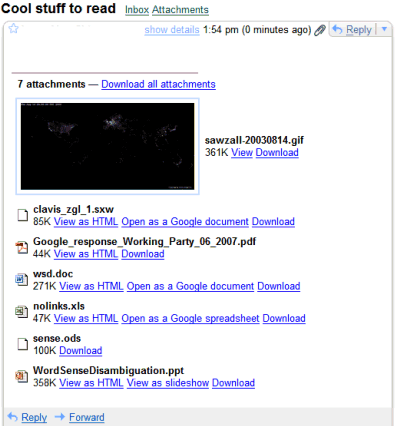
Gmail rolled out to everyone a new feature that lets you preview PowerPoint attachments. "Now you can open PowerPoint attachments as slideshows, without having to download anything. Just click View as slideshow next to the .ppt attachment you want to preview. Since you can open .doc and .xls attachments with Google Docs and Spreadsheets too, there's no need to leave your web browser to check out your Gmail attachments."

The file formats that can be previewed or edited directly from Gmail increased a lot in the last few months, so you can't stop wondering if this is the base for an online hard drive that stores all your files and lets you edit them without having to install desktop clients.

Here's a list of the most important file formats handled by Gmail (simplified view usually means "view as HTML"):

Formats
Simplified view
Full view
Edit
.txt

x

.rtf
x
x
x
.html
x


.doc
x
x
x
.odt (Open Office Document)

x
x
.sxw / .sdw (Star Office Document)
x x
x
.xls
x
x
x
.sxc / .sdc (Star Office Spreadsheet)
x

.ppt
x
x

.sxi / .sdd (Star Office Presentation)
x


.pdf
x


.mp3

x

.bmp/ .gif/ .png/ .jpg/


x


June 11, 2007

Apple Releases Safari for Windows

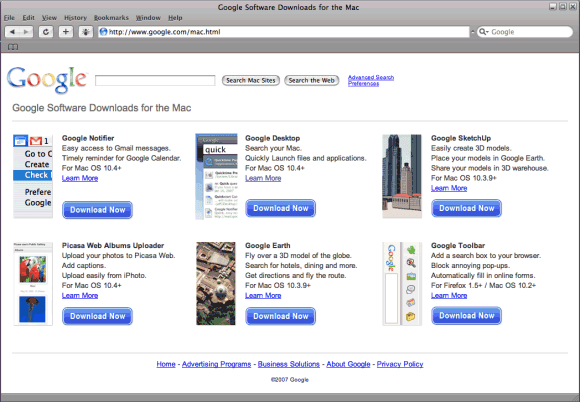
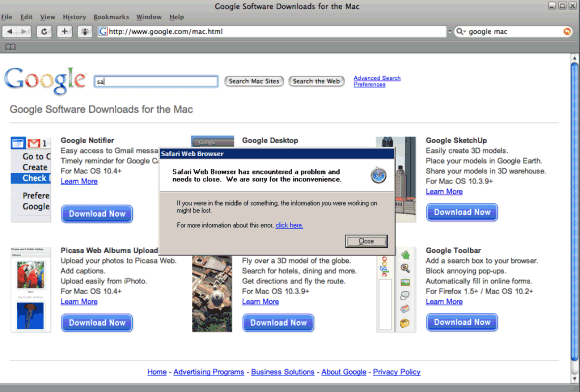
Apple launched a beta version for Safari 3 for both Mac and Windows XP/Vista. Apple claims that Safari is "the fastest, easiest-to-use web browser in the world" and that it loads pages two times faster than Internet Explorer. Because Safari has a Mac interface it's hard to argue that the browser is easy to use for a Windows user. This beta version is not very stable, so you may experience frequent crashes.

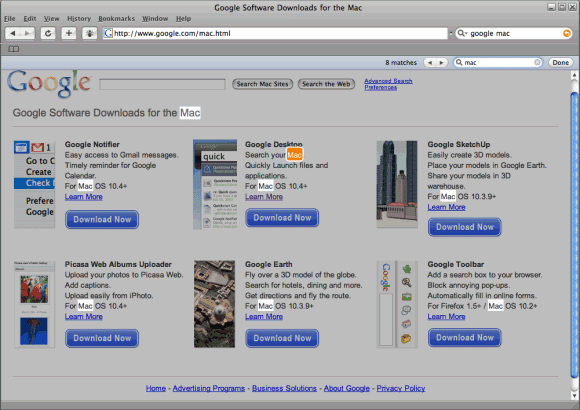
For a browser that claims to be the most innovative in the world, Safari doesn't bring too many new features: private browsing that lets you pause the web history, resizable text fields, clever inline find, progress bar included in the address field.

I also don't understand how a company that promotes elegance and simplicity tries to install QuickTime with all their software and bundles Bonjour, a service that detects shared devices on your local network, with a browser.

But the most important thing is that web developers can test their sites in Safari without buying a Mac or using a service like Browsrcamp and more sites will support Safari.


Google Reader Search Powered by Google Gears

Months go by and Google Reader still doesn't have a search feature. We tried to add search using Google Co-op, but you have to manually synchronize your subscriptions and wait until Google indexes the pages before being able to search them.

Now that Google Reader can store data offline using Google Gears, Raul Ochoa built a Greasemonkey script that lets you search the most recent 2000 posts, assuming they're properly synchronized. "At this moment the search is performed over the same database table used by Google Reader, in this table you can't use Full-Text Searches, so a simple/poor database query with like is being used."

This Google Gears + Greasemonkey solution is not perfect: the script tries to match the exact phrase, the search results are sorted by date, they could be formatted better and you have to manually synchronize the data by switching between the online/offline modes.

Assuming you have Firefox, Google Gears and Greasemonkey, here's the link to the script.


Update (Sept. 2007): Google Reader added search.

June 10, 2007

Google's Street View and Privacy

Google's street-level imagery added to Google Maps last week stirred a lot of controversy. Even though the idea is far from new (Amazon's A9 and Microsoft included something similar in the last 2 years), Google's new features received much more press coverage and attention.

Google obtained most of the images from Immersive Media, except for California, where Google got its own images using the van pictured below, in a mirror reflection.


A lot of sites started to gather interesting images found in Google Maps (StreetViewr, Wired, Mashable, davidsterry.com) and the questions about privacy started to rise. Mary Kalin-Casey appeared in New York Times because she saw something very personal in Google Maps: "Monty, her cat, sitting on a perch in the living room window of her second-floor apartment". "The issue that I have ultimately is about where you draw the line between taking public photos and zooming in on people's lives. The next step might be seeing books on my shelf. If the government was doing this, people would be outraged," she said. The image is unclear and the cat is barely visible, but Ms. Casey was shocked to see a photo anyone could've taken, available online.

A Google representative explained that "Street View only features imagery taken on public property. This imagery is no different from what any person can readily capture or see walking down the street." Google also lets you remove inappropriate images, images that infringe on your privacy or present personal security concerns: just click on the help link and flag the current image. Apparently, this does work (here's the image that was removed for the location below - NSFW).


As proud as the Google Maps team may be of the wider coverage of its service, people are concerned about being spotted in strange, funny, or even illegal situations.


Some even suggest to add support for a special "robots.txt" banner. Or maybe we'll all realize that these are mere side-effects of a useful tool that lets you explore a city without being there, or take a virtual walk to a famous place.

Google, Hostile to Privacy?

Privacy International, a London-based organization focused on privacy intrusions by government and businesses, released a report (detailed in this PDF) that analyzed the privacy practices of 22 Internet companies. Google received the lowest mark, followed by Yahoo, Windows Live Spaces, Hi5, Apple and AOL. Here are some of the reasons why Google was declared "hostile to privacy":

* IP addresses are not considered personal information. They do not believe that they collect sensitive information.

* Vague, incomplete and possibly deceptive privacy policy. Document fails to explain detailed data processing elements or information flows.

* Generally poor track record of responding to customer complaints. Ambivalent attitude to privacy challenges (for example, complaints to EU privacy regulators over Gmail). Privacy mandate is not embedded throughout the company. Techniques and technologies frequently rolled out without adequate public consultation (e.g. Street level view).

* Will utilise Doubleclick's "Dynamic Advertising Reporting & Targeting" (DART) advanced profiling system.

* Google account holders that regularly use even a few of Google's services must accept that the company retains a large quantity of information about that user, often for an unstated or indefinite length of time, without clear limitation on subsequent use or disclosure, and without an opportunity to delete or withdraw personal data even if the user wishes to terminate the service.

* Google maintains records of all search strings and the associated IP-addresses and time stamps for at least 18 to 24 months and does not provide users with an expungement option. While it is true that many US based companies have not yet established a time frame for retention, there is a prevailing view amongst privacy experts that 18 to 24 months is unacceptable, and possibly unlawful in many parts of the world.

* Google has access to additional personal information, including hobbies, employment, address, and phone number, contained within user profiles in Orkut. Google often maintains these records even after a user has deleted his profile or removed information from Orkut.

* Google collects all search results entered through Google Toolbar and identifies all Google Toolbar users with a unique cookie that allows Google to track the user's web movement. Google does not indicate how long the information collected through Google Toolbar is retained, nor does it offer users a data expungement option in connection with the service.

* Google logs search queries in a manner that makes them personally identifiable but fails to provide users with the ability to edit or otherwise expunge records of their previous searches.

* Google fails to give users access to log information generated through their interaction with Google Maps, Google Video, Google Talk, Google Reader, Blogger and other services.

The report concludes that "the current frenzy to capture ad space revenue through the exploitation of new technologies and tools will result in one of the greatest privacy challenges in recent decades."

Google's reaction to this report? "We are disappointed with Privacy International's report, which is based on numerous inaccuracies and misunderstandings about our services. It's a shame that Privacy International decided to publish its report before we had an opportunity to discuss our privacy practices with them."

I think Google's main problem is that they make the privacy issues very visible and attract a lot of attention. For example, Google Toolbar has a very scary dialog that asks you read some information before deciding if you want to enable the PageRank feature, but fails to explain too much.


Privacy continues to be the Achilles' heel of Google, even though they didn't release millions of search queries that contained personal information (like AOL) or sent people to jail (like Yahoo).

June 9, 2007

Notifier for Google Reader


Google Reader Watcher is a Firefox extension that monitors your feeds from Google Reader and shows alerts when there's something new to read. The extension shows the number of unread posts in the status bar (this number is only an approximation, because Google Reader doesn't count past 100 for an individual feed). If you hover over the icon, you'll see the list of feeds that have unread posts.

Another way to keep up with your Google Reader feeds is to subscribe to this feed locally (for example, using Firefox Live Bookmarks or Opera's feed reader): http://www.google.com/reader/atom/user/-/state/com.google/reading-list?n=100. Note that the n= parameter represents the number of items from the feed and can be adjusted. As expected, you need to log in before accessing the feed, because it's not public.

June 8, 2007

YouTube Launches a New Embedded Player

As previously reported, YouTube built a new player for videos embedded in blogs or other sites. The player shows a list of related videos and makes it easy to move between these videos and to find the code necessary to embed a video, without opening a new page. YouTube hopes that people will spend more time watching videos.

If you find the new player too cluttered and you want to use the old one, just append &rel=0 to the URLs from the code you have to include in your site. For example, http://www.youtube.com/v/UkguiR01gMQ should be replaced with http://www.youtube.com/v/UkguiR01gMQ&rel=0.

Garett Rogers from ZDNet thinks that YouTube prepares to include ads next to the related videos. "For the next several months, people will get very used to using the related video tool that was just introduced. As soon as it becomes second nature for users to use the tool, we should start to see sponsored results mixed with these related videos."

The new player didn't have too many fans because the related videos weren't always appropriate and sometimes they stayed in your way. "Thank goodness there's an option to turn it off, but it would be far better if it were off by default with an option to turn it on. I'm not so concerned as some other people about being presented links to potentially objectionable content (I can handle it like an adult), but having thumbnails pop up that do not disappear even if I mouse off of the video is a serious distraction and makes watching videos much less enjoyable," says a comment from YouTube's blog.

Probably as a reaction to the negative comments, the related videos are now visible only if you click on the "menu" button and at the end of the video.

June 7, 2007

Picasa2Flickr - Upload Photos from Picasa to Flickr

One of the most important advantages of Picasa Web Albums compared to Flickr is that it's easy to upload photos and to download photo albums if you use Google's photo organizer, Picasa.

Picasa2Flickr is an open source plugin for Picasa that lets you upload photos to Flickr. You can just select some photos from your albums, click on "Send to Flickr" and a small dialog will let you enter some information about your photos: tags, privacy options, the name of a set.

The plugin uses Flickr's authentication API, so you'll enter your credentials in a browser, without passing them to the application.


{ Thank you, Andrew. }

Firefox 3 Will Include Malware Protection


Mozilla intends to extend Firefox's phishing protection to include a list of sites that try to install malware. "Similar to how Firefox 2 blocks Web sites that are potentially going to try to steal your personal information, Firefox 3 will block Web sites that we believe are going to try to install malicious programs on your computer. Mozilla is coordinating with Google on this feature," says Alex Faaborg.

ComputerWorld quotes Gervase Markham, a developer for Bugzilla, who says: "What we are actually doing here is giving Google veto power over any Web page." The list of potentially harmful sites is managed by StopBadware, an organization that fights against spyware, malware, and deceptive adware. StopBadware is sponsored by Google, Lenovo and Sun.

Google already shows alerts if you try to visit a search result that may install malicious software on your computer. The feature is also included in Google Desktop, which automatically updates a list of suspicious or malicious sites from Google's servers. Firefox will probably work the same.

Other new features that will be included in Firefox 3: a unified way of storing bookmarks, history, and information about Web pages, microformat detection, private browsing, support for offline web applications. Firefox 3 should be launched at the end of the year, but you can still try the Alpha 5 version at your own risk.

{ The mockup is licensed as Creative Commons Share-Alike. }

June 6, 2007

Google's Gallery of Public Calendars

Google Calendar added a directory of public calendars, structured in 8 categories: popular, TV shows, sports, events, entertainment, miscellaneous, holidays, and Google-related. The directory contains calendars from the web indexed by Google and public calendars created with Google Calendar.

Before subscribing to a calendar you can preview its events in a big overlayed box that can't be closed unless you have a big monitor (tip: if you can't see the OK button at the bottom of the box, press Enter).

In a surprising move, Google made searching the public calendars the default option, so if you want to restrict your search to the events from your calendars, you have to click on "Search my calendars". The option to search for public events is now available as a barely-visible link in the new gallery. Instead of complicating the interface, Google Calendar should have a single search results page that shows the events from your calendars, then other related events from public calendars.

The fact that Google Calendar complicates itself unnecessarily is obvious if you look at how many options are available to add a new calendar: you can add a public calendar, or the calendar of one of your contacts, you can enter the URL or just upload it. And each option has a different place in the interface.

All in all, searching for public calendars is not too important, so it didn't deserve so much focus (it's like a new search engine that returns web sites, not web pages). The option to search for public events should be available even if you don't use Google Calendar, maybe as a OneBox in Google's main search results.


{ via Google Blogoscoped }