An unofficial blog that watches Google's attempts to move your operating system online since 2005. Not affiliated with Google.

Send your tips to gostips@gmail.com.

September 18, 2013

YouTube's Mobile Apps to Add Download Feature

The YouTube Creator blog announced that YouTube's mobile apps will add a feature that lets you download videos so you can watch them offline.

"Later this year we'll launch a new feature on YouTube's mobile apps that will help you reach fans -- even when they're not connected to the Internet. This upcoming feature will allow people to add videos to their device to watch for a short period when an Internet connection is unavailable."

AllThingsD reports that this feature will be available next month and that the downloaded videos will be available for 48 hours. "Next month, Google's video site will let viewers save clips on their phones and other mobile devices for up to 48 hours, so they can watch them when they're not online. The videos will still be free, and Google will run ads on the clips, which will be available via its mobile apps."

YouTube's Android app already has a preloading feature for subscriptions and the "watch later" playlist, but this feature has a catch: you need to be online when starting to play a video. This makes the feature less useful.


A few years ago, YouTube experimented with downloads for some partner channels. Now it only lets you download your videos. There are a lot of third-party applications and extensions for downloading YouTube videos, but you won't find them in the Play Store or the Chrome Web Store because they break YouTube's terms of use.
September 17, 2013

From the New Tab Page to the Google Homepage

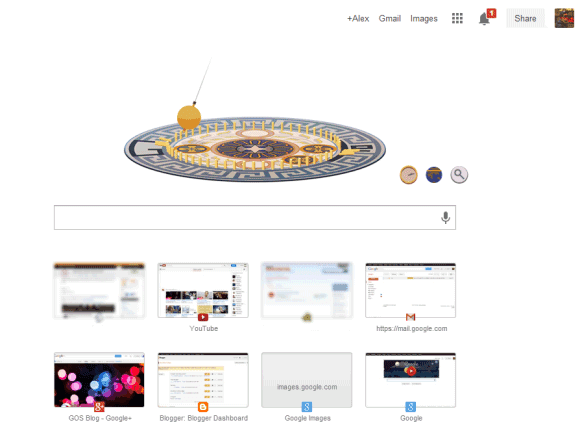
Chrome will replace the new tab page with a simplified version of the Google homepage. Sure, it doesn't have the search button and the footer, but it's the Google homepage. You'll see the app launcher grid, which replaces the black bar, you'll see the Google+ notification and share buttons, you'll see Google doodles.

Most of the features of the new tab page have been removed and replaced by a huge Google logo. Chrome apps are in the app launcher, recent tabs are in the Chrome menu.

I've never liked browser homepages, but Chrome's new tab page was really useful. It loaded quickly and had a lot of links to pages you were likely to open. Now it only shows 8 of your frequently visited pages and a fake search box that sends you to the omnibox.


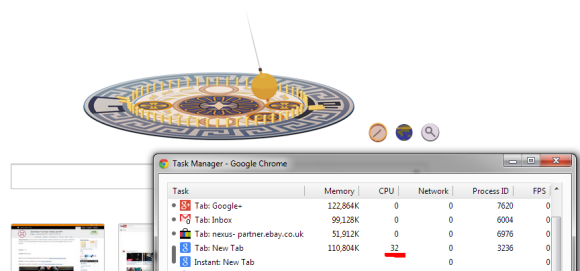
When Google shows an animated doodle, the new tab page shows same the animation and you're forced to see it each and every time you open a new tab. Sometimes the doodle uses a lot of resources:


There are some great extensions that replace the new tab page, but you shouldn't have to use an extension for this. The new tab page should be fast, simple and useful.

Here's a quote from Chromium's site:

"The new tab page is the default starting point for all tabs - it is designed to get the user where they want to go, and is not meant to be an information resource like the user's home page; that is, the new tab page is not intended to be a destination, but rather a jumping-off point to other destinations - we strongly want to avoid cognitive load and distractions for the user, especially those creating new tabs for other purposes."

So it shouldn't include distractions. That's exactly what the Google homepage does and the new tab shouldn't do. Animated doodles, Google+ notifications - all of them are distractions that don't belong in a page you open so often.

For now, I'll switch to the empty new tab page.

YouTube Tests Improved Center-Aligned Interface

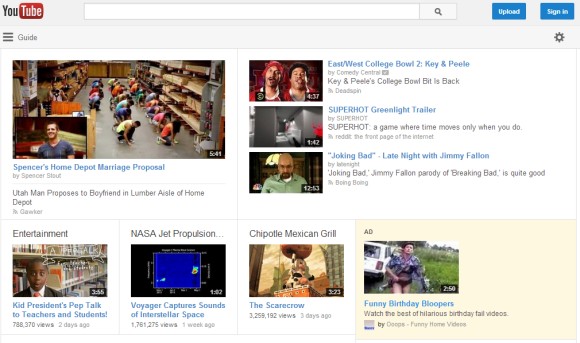
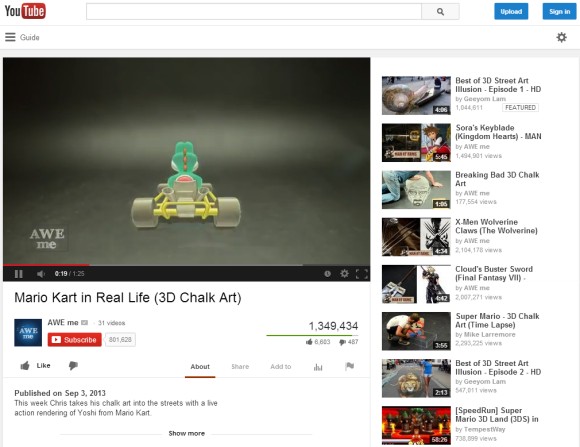
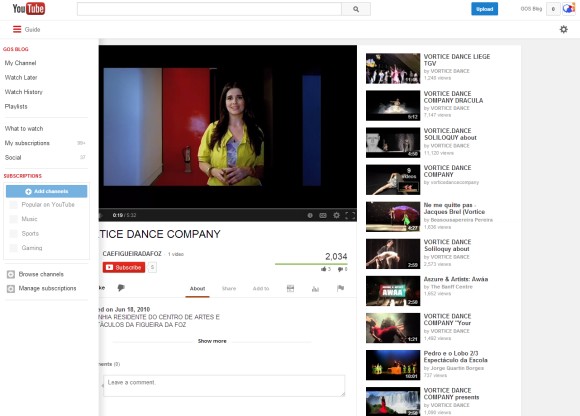
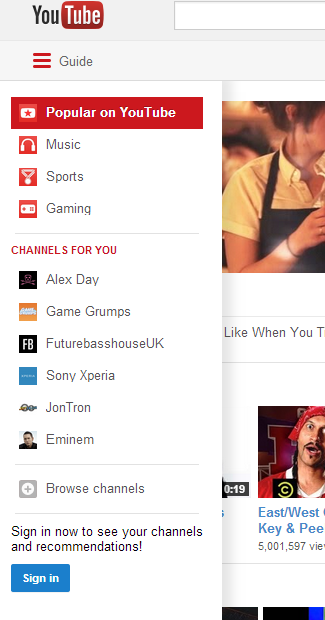
Now that many of the YouTube experiments are publicly available, it's time for something new. YouTube tests a new version of the center-aligned layout. The sidebar looks better, but it's still hidden by default. The YouTube homepage has two tabs for "What to watch" and "My subscriptions", while the header is now persistent.


Here's a video that shows a slightly different version of the experiment:


Here's how you can enable the experimental feature. If you use Chrome, Firefox, Opera, Safari or Internet Explorer 8+:

1. open youtube.com in a new tab

2. load your browser's developer console:

* Chrome or Opera 15+ - press Ctrl+Shift+J for Windows/Linux/ChromeOS or Command-Option-J for Mac

* Firefox - press Ctrl+Shift+K for Windows/Linux or Command-Option-K for Mac

* Opera 12 - press Ctrl+Shift+I for Windows/Linux or Command-Option-I for Mac, then click "Console"

* Safari - check this article

* Internet Explorer - press F12 and select the "Console" tab.

3. paste the following code which changes a YouTube cookie:

document.cookie="VISITOR_INFO1_LIVE=Gapj9bz_H8M; path=/; domain=.youtube.com";window.location.reload();

4. press Enter and close the console.

To go back to the regular interface, use the same instructions, but replace the code from step 3 with this one:

document.cookie="VISITOR_INFO1_LIVE=; path=/; domain=.youtube.com";window.location.reload();

{ Thanks, Sushubh and Rubén. }

Google Wallet for Android - Widely Available, Still Limited

Google Wallet's Android app was available in the Play Store, but not many people could install it. The app was limited to Sprint and a few small US carriers, Nexus devices and a few other phones. Verizon, AT&T and T-Mobile blocked the app because they work on a competing payment system called Isis.

Google announced that the app is now available for any Android device in the US running Gingerbread or a more recent Android version. "The updated app helps you easily send money on the go, store all your loyalty cards, save money through offers, and view all your Google Wallet activity - all in one place."

The Google Wallet added the feature that was available in Gmail: sending money to other people in the US using their email addresses. The Gmail feature is gradually rolling out, but you can manually enable it by using the Wallet app to send money. You can also add your loyalty cards by scanning the barcode or by entering the card number.

"In addition to your loyalty cards, you can easily carry and use your offers with the Google Wallet app. No matter where you've found your offer - in the Google Maps app, Google Search, Google+ or Google Offers, they're visible and redeemable in your Wallet app at checkout. And later this week, you'll also be able to save offers on select merchant and couponing sites such as Valpak."


While you can install the app on any Android 2.3+ device in the US, you need an eligible device that supports NFC to tap and pay in of the many Wallet-enabled US stores. There are only 29 devices that support this feature and they're still limited to Sprint and small carriers like MetroPCS, US Cellular, Virgin Mobile and Boost Mobile.

So not much has changed: the main functionality of the app is not available if you use 3 of the biggest US carriers, but there are some new features that don't require NFC and work on any device.

This will probably increase Google Wallet's adoption. Until now, the app has been installed less than 10 million times.

YouTube Music Cards

A few weeks ago, I posted about a YouTube experiment that adds bigger cards for music artists. Search for Röyksopp, Daft Punk or any other popular artist and you'll see a Knowledge Graph-like sidebar with a list of top tracks, albums and related artists. Click any track and you'll start a playlist with a lot of other songs from the same artist. Click an album and you'll be able to listen to all the songs from the album.


What else is there? You can also click "top tracks" to start the playlist automatically generated by YouTube. Click the artist's name to visit the topic channel created by YouTube (there's no topic channel for Röyksopp, but there's one for Daft Punk).


Gmail's Old Compose Interface, Still Available

A lot of people complained about Gmail's new compose interface. Google addressed some of the issues with the "full-screen" mode, but there are still people who dislike the new UI.

If you want to go back to the old interface, there's a Chrome extension that does this: Retro Compose for Gmail. I rarely recommend third-party apps that change Gmail, especially if they're not from a reliable company or developer. I checked the extension's source code and I was surprised to see how it works: it changes your browser's user-agent to IE8's user-agent, but only when loading Gmail. As Google says, "you won't be able to try the new compose experience if you're using Internet Explorer 8". I'm not sure why the extension is not restricted to mail.google.com.


I tried to manually change the user-agent in Chrome and Firefox, but Gmail redirected me to this page:
"Gmail requires ActiveX controls to be enabled". Pressing F12 in IE10 and switching to "Browser mode: IE8" worked.

Obviously, this is a temporary workaround. At some point, Google will stop supporting Internet Explorer 8 and this will no longer work. It's a better idea to get used to the new interface.

Update: Here's a similar Chrome extension that doesn't have a button and has better permissions.

{ Thanks, 翔美咲. }

September 15, 2013

Chrome's Offline Dinosaur

A few weeks ago, an engineer from the Chrome team improved the "you are offline" error page by replacing the sad face with a dinosaur. I only get the new version of the page in Chrome Beta for Android, but some people report that it also works in Chrome Dev/Canary. The icon's address is: chrome://theme/IDR_ERROR_NETWORK_OFFLINE.

New Google Trends Interface

Google Trends has a new interface that changes how you add search terms and how you compare search volumes. There's still a search box at the top of the page, but its role has been deemphasized. The old interface placed search terms in the left sidebar, while the new UI shows some big building blocks above the chart. Filters have also been moved to the top of the page.


The "Top Charts" page now includes trending charts, not just lists of the most searched topics. There charts for actors, animals, authors, books, cars, chemical elements, cities, colleges and universities, countries, drinks, games, medications, movies, people, scientists, software technologies, space objects, sports teams, TV shows, and more.


The "Hot Searches" section has a calendar view that shows the hottest topics from the past 30 days. It looks nice. "Click the new calendar icon at the top of the Hot Searches page for any of our thirteen supported countries. Hover on a topic for some quick information and a link to see more search trends from the day," informs Google.


{ via Inside Search }

September 14, 2013

Faster Google Maps Navigation

The new version of the Google Maps app for Android made turn-by-turn navigation more cumbersome. Google removed the navigation icon and integrated the navigation feature in the Maps app, instead of using a separate app. The new interface is more difficult to use because it requires more taps and buttons are really small. There are also many missing navigation features: layers, Street View, alternate routes.

Fortunately, the Google Maps app lets you start the navigation mode a lot faster. "Select a place, then tap and hold on the transportation icon. This will automatically open voice guided turn-by-turn GPS navigation and you'll be ready to go," informs Google.


It's not an obvious feature, but it lets you skip 2 screens. You first had to pick a route, see the list of directions and then tap "Start".

This tip also works in the Google Maps app for iPhone and iPad, so it's not limited to Android.

Google Keep to Integrate With Google Drive

Google Keep was supposed to integrate with Google Drive, but it's still a distinct app. Google Keep is a pretty basic app and doesn't have a lot of features, so you can't expect that it will improve.

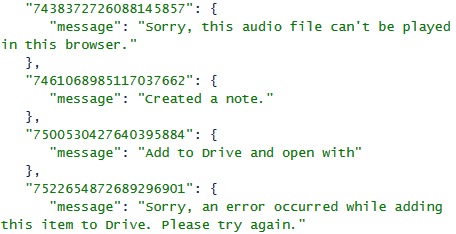
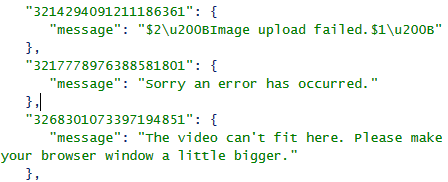
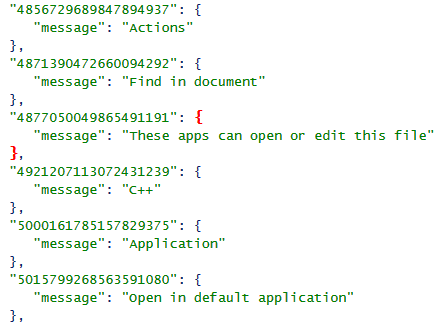
Right now, you can only insert images and save audio files when using the dictation feature from the mobile app. Google Keep's code includes multiple references to an upcoming feature that lets you upload any file to Google Drive and add it to a note, preview the file using the Google Drive Viewer or open it using various apps. You'll also be able to add videos (YouTube URLs or videos uploaded to Google Drive) and play them inside Google Keep.


While this isn't the Drive integration I expected, it's still a cool feature. Hopefully, Keep will become a Google Drive app and you'll be able to open and edit your notes from Google Drive.

Update: The screenshots are from the Chrome app for Google Keep, but there are similar references in the desktop Google Keep web app.