Google doesn't provide a way to find custom search engines built by other users, but you can restrict a normal Google search to the homepages of those search engines. You just have to add [site:google.com inurl:coop/cse] to your query. For example, you can use [site:google.com inurl:coop/cse css] to find custom search engines for CSS.
This might be useful if you have to do some research on a narrow topic and the regular Google search doesn't return good results. By restricting your search to a list of sites about CSS or web programming, you'll definitely find great results even for ambiguous queries like "position" or "display".
To make things even easier, I created a custom search engine that searches through more than 100,000 custom search engines.
February 17, 2007
Are Google's Feed Readers Very Popular?
Remember I told you yesterday that Google started to reveal the number of feed subscribers for Google Reader and Google Personalized Homepage? Well, I was shocked to see the numbers when I visited Feedburner this morning.

You'll say these stats are skewed because this is a blog about Google, so it's normal that the readers are more likely to use Google tools. Last year, I used three buttons that made it easier to subscribe to this blog using Google, Bloglines and Yahoo (now I replaced Yahoo with Netvibes). Here's how many people clicked on the buttons versus the number of subscribers:
So Google's numbers seem really big, while Yahoo's numbers (Yahoo also recently started to report the number of subscribers) are way too small. Bloglines is the only feed reader from these three that shows reasonable numbers. Note that Yahoo reports the number of "active" subscribers in the last 30 days, while Bloglines and Google report the total number of subscribers.
If I were to trust these numbers, I'd say Google's feed readers are extremely popular.
Update: As I said in the comments, most of the subscribers are not from Google Reader, but from Google Personalized Homepage. It would've been nice if Google reported the numbers separately.
You'll say these stats are skewed because this is a blog about Google, so it's normal that the readers are more likely to use Google tools. Last year, I used three buttons that made it easier to subscribe to this blog using Google, Bloglines and Yahoo (now I replaced Yahoo with Netvibes). Here's how many people clicked on the buttons versus the number of subscribers:
| Feed reader | Clicks on the buttons (2006) | Current subscriptions |
| 2747 | 19768 | |
| Yahoo | 2353 | 467 |
| Bloglines | 1649 | 1812 |
So Google's numbers seem really big, while Yahoo's numbers (Yahoo also recently started to report the number of subscribers) are way too small. Bloglines is the only feed reader from these three that shows reasonable numbers. Note that Yahoo reports the number of "active" subscribers in the last 30 days, while Bloglines and Google report the total number of subscribers.
If I were to trust these numbers, I'd say Google's feed readers are extremely popular.
Update: As I said in the comments, most of the subscribers are not from Google Reader, but from Google Personalized Homepage. It would've been nice if Google reported the numbers separately.
February 16, 2007
Google Redirect Notice
Let's say I have a site that sells Cialis, and I have to use spam to promote it. Wouldn't be nice to use a trusted site like google.com to make a redirect to my site? For a very long time, if you used a URL like http://www.google.com/url?q=http://www.mysiteaboutcialis.com , Google sent you to mysiteaboutcialis.com without a notice. Many people were tempted to think that this must have been a Google site (it starts with google.com).
Google's redirection URL was also used for phishing to fool people or phishing filters. But it also had a valid reason for being there: tracking user clicks. If you go to a search results pages and copy the address of a result, you'll notice a long URL that starts with http://www.google.com/url?q=. Google uses that information to improve search results and to aggregate information about users.
Well, Google thought about that and decided to show a warning (similar to the malware warnings for pages that install malicious software) if you use the redirect directly. The redirects from search results pages use some complicated hashes, so it's difficult to bypass the warning, unless you know to build those hashes. The redirect notice says:
"The previous page is sending you to [new address].
If you do not want to visit that page, you can return to the previous page."
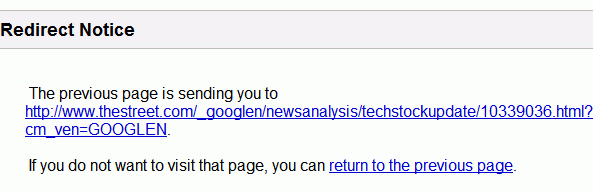
This is a clear sign that Google decided to do more to protect its users.
Google's redirection URL was also used for phishing to fool people or phishing filters. But it also had a valid reason for being there: tracking user clicks. If you go to a search results pages and copy the address of a result, you'll notice a long URL that starts with http://www.google.com/url?q=. Google uses that information to improve search results and to aggregate information about users.
Well, Google thought about that and decided to show a warning (similar to the malware warnings for pages that install malicious software) if you use the redirect directly. The redirects from search results pages use some complicated hashes, so it's difficult to bypass the warning, unless you know to build those hashes. The redirect notice says:
"The previous page is sending you to [new address].
If you do not want to visit that page, you can return to the previous page."
This is a clear sign that Google decided to do more to protect its users.
Google Shows the Number of Feed Subscribers
Google lets you subscribe to a feed in two ways: using the personalized homepage, by adding a new module that shows only the headlines (although you can read the whole feed by expanding each item) and using Google Reader, a full-fledged online feed reader (well, almost full because there's no search in Google Reader).
The problem was that Google was too afraid to report the number of subscribers to these services, so you couldn't know for sure how many readers of your feed use Google. The personalized homepage has always had a big number of users, but with the latest update of Google Reader, many people switched to Google Reader.
So now Google decided it's time to reveal the mysterious numbers.
If you use FeedBurner for feed stats (this is a good option if you use hosted services like Blogger's Blog*Spot and you don't have access to server logs), there's a good news. Starting tomorrow, you'll be able to see the number of Google subscribers. "This information will show up in tonight's subscriber reports (meaning that most of you will start to see the data on Saturday morning, U.S. Central Time)."

The problem was that Google was too afraid to report the number of subscribers to these services, so you couldn't know for sure how many readers of your feed use Google. The personalized homepage has always had a big number of users, but with the latest update of Google Reader, many people switched to Google Reader.
So now Google decided it's time to reveal the mysterious numbers.
Currently, these counts include users of both Google Reader and the Google Personalized Homepage, and over time will include subscriptions from other Google properties.
The "User-Agent:" header of our crawler includes the name of our crawler ("FeedFetcher-Google") along with its associated URL, the subscriber count, and a unique 64-bit feed identifier ("feed-id"). (...)
Below is an example of the contents of the "User-Agent:" header:
User-Agent: Feedfetcher-Google; (+http://www.google.com/feedfetcher.html; 4 subscribers; feed-id=1794595805790851116)
If you use FeedBurner for feed stats (this is a good option if you use hosted services like Blogger's Blog*Spot and you don't have access to server logs), there's a good news. Starting tomorrow, you'll be able to see the number of Google subscribers. "This information will show up in tonight's subscriber reports (meaning that most of you will start to see the data on Saturday morning, U.S. Central Time)."
Testing Vista's Speech Recognition
A very patient individual decided to test Vista's speech recognition. Admittedly, it's not an easy task to build a software that actually works well and Microsoft doesn't have a brilliant history in this area (remember the demo from July last year?).
Microsoft is proud: "Windows Vista includes a built-in speech recognition user interface designed specifically for users who need to control Windows and enter text without using a keyboard or mouse. There is also a state-of-the-art general purpose speech recognition engine. Not only is this an extremely accurate engine, but it's also available in a variety of languages."
But this long video shows how difficult is to browse the Internet if you're brave enough to use only your voice, and not your fingers. To improve the performance of speech recognition, users should perform some training before actually using it. But it's weird to see that only Internet Explorer has problems, while Firefox is responsive.
This reminds me of a Saturday Night Live sketch (transcript), that illustrates how hard speech recognition is.
Microsoft is proud: "Windows Vista includes a built-in speech recognition user interface designed specifically for users who need to control Windows and enter text without using a keyboard or mouse. There is also a state-of-the-art general purpose speech recognition engine. Not only is this an extremely accurate engine, but it's also available in a variety of languages."
But this long video shows how difficult is to browse the Internet if you're brave enough to use only your voice, and not your fingers. To improve the performance of speech recognition, users should perform some training before actually using it. But it's weird to see that only Internet Explorer has problems, while Firefox is responsive.
This reminds me of a Saturday Night Live sketch (transcript), that illustrates how hard speech recognition is.
Google Buys Adscape, In-Game Ads Startup
 Google acquired Adscape, a small startup that delivers dynamic ads for video games, for $23 million. Adscape has an interesting technology that "enables the advertiser to send brand messaging, and many other transactions that are relevant to the game, benefiting both the advertiser and game publisher by offering exclusive offers/content directly to the game-player without interrupting game-play". You can imagine a product placement, that's smarter than what you see in a TV show, because it's targeted demographically and geographically. It's also a good way to reach teens and to improve the image of a brand by making it playful.
Business Week explains: "In-game ads work like this. A player goes online to race against human competitors in a Formula One title. As he turns a corner, he sees an ad imbedded in the game, perhaps as a virtual billboard, for a new car. His German opponent turns the same bend, and sees the same billboard, except it’s advertising a new government anti-drugs campaign. The ads are served according to geography; and are placed demographically with the confidence that most racers will be males in the 18-35 age-group."
Last month, a Google representative said: "We are always considering new ways to extend Google's advertising program to benefit our users, advertisers and publishers. In-game advertising offers one such possible extension among many others." Google tries to expand offline and to become the one-stop shop for advertisers, regardless of the medium.
In 2006, Microsoft acquired a much bigger player, Massive. Unlike Massive, that had big clients like Coca-Cola, Honda, Adscape prouds itself only with a list of patents, so this is just a starting point for Google.
Homework:
1. Would you play (did you play) a game that contains ads?
2. To target ads, the software must communicate with the server and tell information about the level, your situation. Is this a privacy breach?
Update (March 16): Google officially announces the acquisition. "In-game advertising is an area where we believe Google could add a lot of value to users, advertisers and publishers. Adscape Media's technology and talented team are a great addition to Google's current advertising solutions for advertisers and publishers."
February 15, 2007
The Context of a Web Page
Sometimes I try to find information about a product or an event, and I find pages that discuss about the product without providing any context: the official site, a press release, other reactions. In other occasions, I find old news: the product has morphed into something else, so my search for Writely won't produce information about the latest developments of Google Docs & Spreadsheets.
I think this is a good job for Google, that already matches ads with web pages. Google already has a product called Related Links, but you must place it on a website to see related news, videos, searches and pages. You'll also find "similar pages" for each search result, but these pages are almost the same for any page from a site and are derived from the link structure, and not from the actual content of a page.
It would be nice to have an extension or a gadget for Google Desktop that pulls all these related results on demand. There are solutions that promise to do that (pico and Y!Q come to my mind), but their performance is pretty disappointing.
Google understands the link structure of the web, so it can place a page into context, and also has the Applied Semantics technology that allows it to extract key themes of a page and discern ambiguous terms.
I think this is a good job for Google, that already matches ads with web pages. Google already has a product called Related Links, but you must place it on a website to see related news, videos, searches and pages. You'll also find "similar pages" for each search result, but these pages are almost the same for any page from a site and are derived from the link structure, and not from the actual content of a page.
It would be nice to have an extension or a gadget for Google Desktop that pulls all these related results on demand. There are solutions that promise to do that (pico and Y!Q come to my mind), but their performance is pretty disappointing.
Google understands the link structure of the web, so it can place a page into context, and also has the Applied Semantics technology that allows it to extract key themes of a page and discern ambiguous terms.
Something about Sergey Brin
 Mark Malseed has an interesting story about Sergey Brin, his family and their early life. You'll also find an insightful description of the office shared by Sergey and Larry at the Plex.
It takes a bit of searching to find Sergey Brin's office at the Googleplex. Tucked away in a corner of Building #43 on this sprawling campus near the southern tip of San Francisco Bay, past rows of colorfully decorated cubicles and dorm-like meeting spaces, Office 211 has a nondescript exterior and sits far from the public eye. Although it takes several twists and turns to get there, his office is not protected—as you would expect for the cofounder of a $150-billion company—by a Russian nesting doll's worth of doors and gatekeepers.
Sergey, 33, shares the space with his Google cofounder, fellow Stanford Ph.D. dropout and billionaire pal, 34-year-old Larry Page, an arrangement that began eight years ago in the company's first humble headquarters in a Menlo Park, California, garage. (...)
Trim and boyishly handsome, with low sloping shoulders that give him a perpetually relaxed appearance, Sergey bounces around the Googleplex with apparently endless energy. He has dark hair, penetrating eyes and a puckish sense of humor that often catches people off guard. A typical workday finds him in jeans, sneakers and a fitted black T-shirt, though his casual manner belies a serious, even aggressive sense of purpose. This intensity emerges during weekly strategy meetings, where Sergey and Larry—who share the title of president—command the last word on approving new products, reviewing new hires and funding long-term research.
We also find out that Eugenia Brin, Sergey's mom, is still surprised about Google's success: "It's hard to comprehend, really. He was a very capable child in math and computers, but we could have never imagined this. Google has saved more time for more people than anything else in the world."
"I don't feel comfortable being one of the crowd. It's kind of interesting — I really liked the schools that I went to, but I never rooted for the sports teams. I was never one of the crowd supporting something or not. I like to maintain my independence," Sergey says.
{ Photo by Duncan Davidson, licensed as Creative Commons Attribution. }
KML Search in Google Earth
"KML is a file format used to display geographic data in an Earth browser, such as Google Earth, Google Maps, and Google Maps for mobile. KML uses a tag-based structure with nested elements and attributes and is based on the XML standard."
You can create a KML file in Google Earth: add placemarks, image overlays, paths, and polygons, then save the file. You can also convert a CSV file to KML, a RSS file to KML, or a spreadsheet.
What can you do? Aggregate the 10 most expensive homes in the US, annotate the most important monuments from the Ancient Rome, share where you have traveled recently or your company's presence around the world.
Until now, some of the most interesting KML files could be found in different places, like Google Earth Hacks. You could also use the filetype: operator in Google search to find a KML file.
But now KML search is integrated into Google Earth:

Type a location and then search for something special around that area. For example, search for "Italy" and then for "volcano" and scroll down to the KML results. Then click a green sphere and the link from the bubble that opens, to see the KML file.
Chikai Ohazama, product manager at Google Earth says: "Users can now search through all of the world's Keyhole Markup Language (KML) files, making the millions of Google Earth layers on the Web instantly accessible for geobrowsing and exploration." He also promises that KML search will be available in Google Maps too.
You can create a KML file in Google Earth: add placemarks, image overlays, paths, and polygons, then save the file. You can also convert a CSV file to KML, a RSS file to KML, or a spreadsheet.
What can you do? Aggregate the 10 most expensive homes in the US, annotate the most important monuments from the Ancient Rome, share where you have traveled recently or your company's presence around the world.
Until now, some of the most interesting KML files could be found in different places, like Google Earth Hacks. You could also use the filetype: operator in Google search to find a KML file.
But now KML search is integrated into Google Earth:
Type a location and then search for something special around that area. For example, search for "Italy" and then for "volcano" and scroll down to the KML results. Then click a green sphere and the link from the bubble that opens, to see the KML file.
Chikai Ohazama, product manager at Google Earth says: "Users can now search through all of the world's Keyhole Markup Language (KML) files, making the millions of Google Earth layers on the Web instantly accessible for geobrowsing and exploration." He also promises that KML search will be available in Google Maps too.
February 14, 2007
Gmail Ads: Four Reasons to Use Gmail
Now that Gmail is open for everyone, Gmail team posted a funny 4-act puppet play that shows why it's a good idea to try Google's mail service. Their reasons are: better spam protection, threads, fast search and built-in instant messaging.
Subscribe to:
Posts (Atom)
