An unofficial blog that watches Google's attempts to move your operating system online since 2005. Not affiliated with Google.

Send your tips to gostips@gmail.com.

May 3, 2013

Finding HTC One Using Google and Bing

When HTC named its latest flagship phone HTC One, I wasn't sure if it was a great idea. It's hard to find information about HTC One when there are so many pages about HTC One X, HTC One S, HTC One V and a few other phones with similar names.

Almost 3 months after HTC announced its phone, I tried 3 basic queries using Google and Bing: [htc one], [htc one review] and [htc one price]. I've switched to the US English interface and made sure that the results aren't influenced by personalization. All the screenshots show the first Bing results on the left side and the first Google results on the right side. For some of the screenshots, I scrolled down past the ads.

The results for [htc one]:


Bing's top organic result is the HTC One X homepage and the HTC One homepage is not even in the top 50 results. All Google results from the first page are about HTC One and the first result is the right one.

The results for [htc one review]:


The top 3 Bing results are HTC One X reviews, while all Google results from the first page are about HTC One.

The results for [htc one price]:


The first Bing result is about HTC One V and the third one is about One X, One S and One V. Google's results are relevant.

It's not clear if Google does a better job because it favours recent results or because it realizes that HTC One is a different entity. When searching for [htc one], the first Google result about One X is at #38.

May 2, 2013

YouTube Tests a New Carousel UI for the Homepage

YouTube experiments with a new homepage interface that groups multiple videos from the same channel or topic. You can click the small thumbnails to switch to a different video or click the "play" button to watch the entire playlist.


{ thanks, Rubén. }

Artificial Google Suggestions

The suggestions that are diplayed when you type a Google search query are useful most of the time. Google tries to finish your query and suggests some popular queries that start with the keywords you've typed.

Sometimes Google also shows suggestions from web pages and many of them are pretty long and verbose. They look artificial because it's unlikely that many users typed them. Google compiles a list of popular n-grams from web pages and includes them in the list of Google Instant suggestions. You'll find page titles, excerpts from Wikipedia articles and press releases, but also incomplete suggestions that don't make any sense.

It's easy to spot these artificial suggestions: type a long query until Google no longer shows suggestions, type more keywords and Google will suddenly show long suggestions.

Here are some of them:


In the last example I've searched for ["the * why it's inaccurate"] and started to type a new word after "the", when I saw these absurdly detailed suggestions. If you search for [why would it be inaccurate], Google shows a single suggestion: [why would it be inaccurate to speak of an nacl molecule]. You need to type [why would it be inaccurate to call t] to see this suggestion: [why would it be inaccurate to call the pituitary gland the master gland of the body]. This long phrase can't be found in any web page, but it shows up because Google merges various word sequences.

Google Table Search

Google has a very cool feature that restricts search results to pages that include tables. The snippets are table rows and you can import the tables to Fusion Tables.

"Google Tables allows you to search across public Fusion Tables and millions of web pages with data presented in a table. Once you find the right table, you can import the data to Fusion Tables for filtering, visualizations, collaboration, downloads, and access with the Fusion Tables API," informs Google.


There's a search box for this feature when you create a Fusion Table file, but Google Table Search is also useful as a standalone feature. It's interesting that there are a lot of Wikipedia pages that show up in the search results and a search for [the] returns about 39 million results (vs 25 billion web search results).

{ Thanks, Florian K. }

Gmail Has a New Login Page

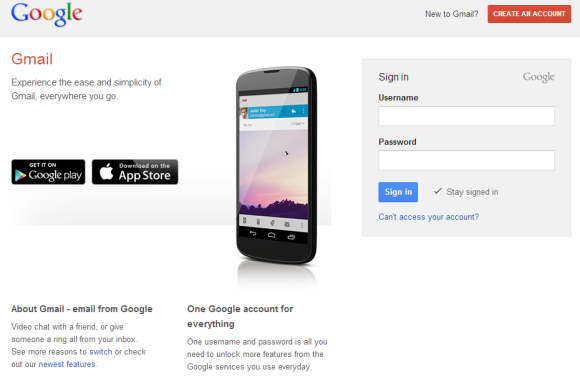
Gmail has a new login page that promotes the mobile apps for Android and iOS and shows a large picture of a Nexus 4 running the Gmail app. "Experience the ease and simplicity of Gmail, everywhere you go."

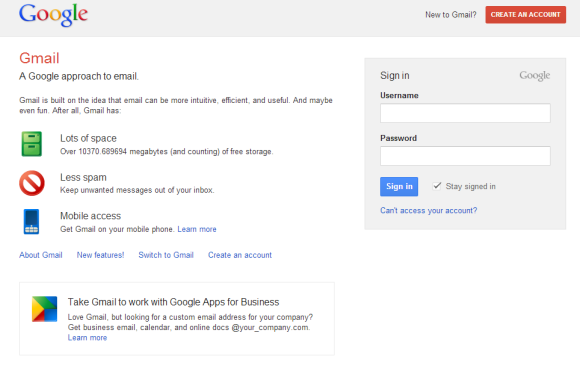
If the old login page mentioned that Gmail offers lots of storage and has a great spam filtering technology, the new page promotes video chat and phone calling. "One username is all you need to unlock more features from the Google services you use everyday."


Here's the old login page:


{ Thanks, Herin. }

Google Keep App for Chrome

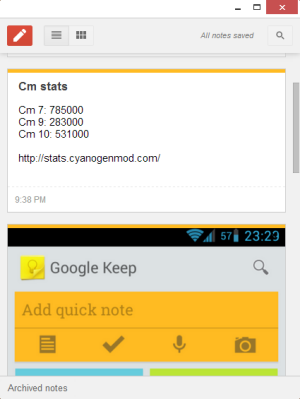
Speaking of new-style packaged apps for Chrome, here's a new app: Google Keep. It's another way to access the recently launched service for taking notes.


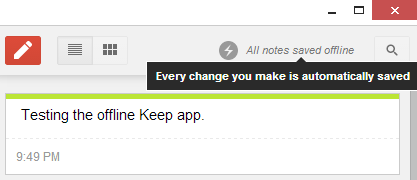
The app looks just like the Google Keep site, but it works offline. This means that you can access your notes or create new notes even if you don't have an Internet connection. Unfortunately, you can't insert images when you're offline. Another limitation is that new notes aren't uploaded in the background when you're back online, so you need to open the app.


{ via Chrome Blog }

May 1, 2013

The New Chrome Apps

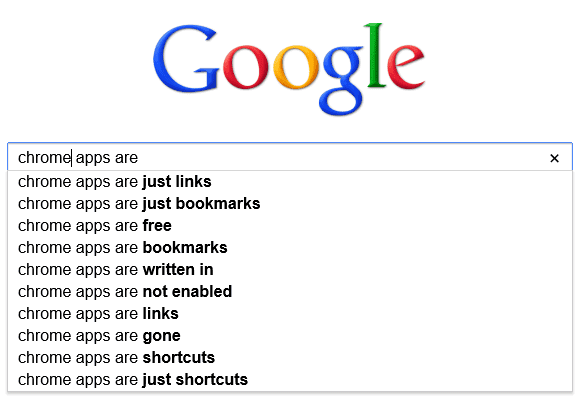
Back in 2010, I wrote a post about the Chrome Web Store and the two kinds of apps that were available: hosted apps (mostly links to web apps) and packaged apps (local apps that work offline and are closer to native apps). At that time, many people complained that the apps from the Chrome Web Store are mostly bookmarks and Google didn't distinguish hosted apps from packaged apps. "Unfortunately, Google's store doesn't properly label apps, so it's difficult to find apps that work offline, apps that have a rich user interaction, apps that only live inside Chrome," I mentioned back then.


The Web Store has improved: Google started to label the apps that work offline and the two types of apps will have different names. Only packaged apps will be called "apps", while hosted apps will be called "websites".

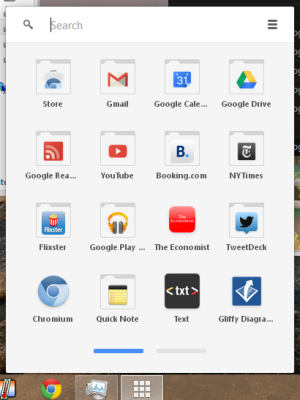
Today's packaged apps are actually new-style packaged apps and have a lot of new features: "powerful APIs have been added so your apps can have native-like capabilities, and a serious security model is enforced to make sure these APIs are not abused." Package apps launch from outside of the browser, using the Chrome App Launcher - a new icon that will be added to the operating system's taskbar.


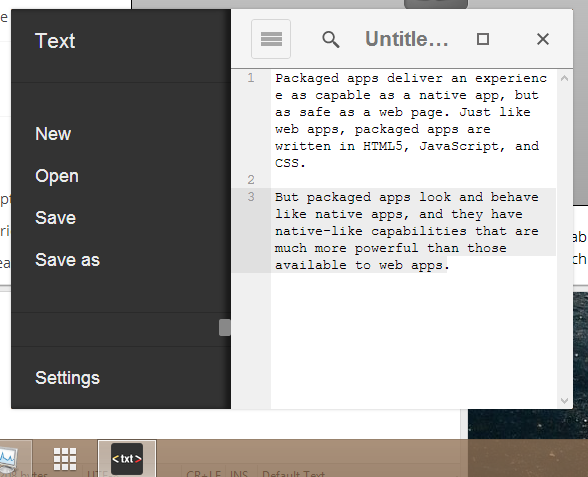
"Packaged apps deliver an experience as capable as a native app, but as safe as a web page. Just like web apps, packaged apps are written in HTML5, JavaScript, and CSS. But packaged apps look and behave like native apps, and they have native-like capabilities that are much more powerful than those available to web apps." The apps launch in a new window that has no chrome and no browser interface elements.


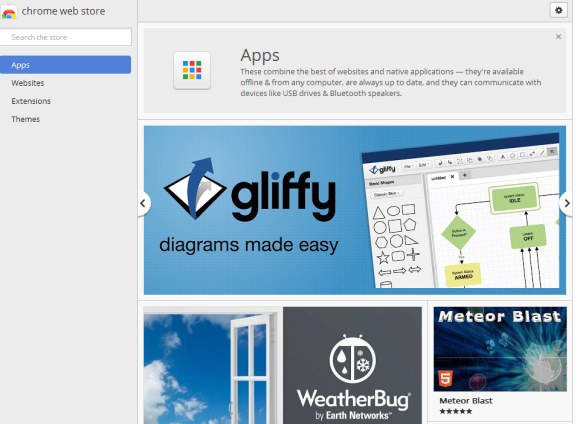
"These combine the best of websites and native applications — they're available offline & from any computer, are always up to date, and they can communicate with devices like USB drives & Bluetooth speakers," explains Google.

Here's the new Chrome Web Store interface that's displayed if you use Chrome 28 (Dev/Canary) for Windows or Chrome OS:


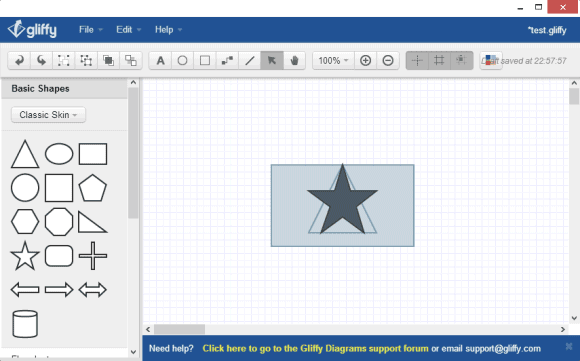
Install the Gliffy Diagrams app and you can use it almost instantly. Add some shapes, close the window, open Gliffy again from the App Launcher and your data is there.


"Many of these apps are works in progress, which is why we're only making them easily available on Chrome's dev channel. If you've written a packaged app, or are working on one, now is a great time to get some early feedback and polish your app before Chrome packaged apps become more broadly available," informs the Chromium Blog.

Some examples of apps: games, to-do apps, text editors, SSH clients, IRC clients, torrent clients, calculators, weather apps and more.

Download and Sync Google Fonts to Your Computer

Google's Web Fonts are really popular. Google created a directory of open source fonts that anyone can use, they're hosted by Google and it's easy to embed them. The most popular font is Open Sans, which has more than 2 billion views only for the last week.

Fonts like Open Sans, Droid Sans and Roboto are only preinstalled if you're using an Android device and there are many other fonts that aren't preinstalled, so how can you use them? "If a page uses web fonts, then the font files have to be downloaded to the site visitor's computer before they can be displayed initially. The font files are served compressed for a faster download. After that initial download, they will be cached in the browser. As the Google Fonts API becomes widely used, your visitors will be likely to already have the font you're using in their browser cache when they visit your page," explains Google.

A search for fonts.googleapis.com in Chrome's cache page (chrome://cache/) returned font families like Open Sans, Tangerine, Oswald, Noto Serif, IM Fell English, Arvo, Droid Sans.

If you want to download some of these fonts to your computer and sync them when they're updated, you can install SkyFonts, a free software for Windows and Mac OS X. "SkyFonts automatically updates the fonts installed on your system whenever they are updated on Google Fonts – for example, when new characters are added – ensuring you always have the latest fonts to work with. And with the fonts installed locally, browsing websites that use web fonts will be faster, since your browser won't have to spend time fetching font data," mentions Raziel Alvarez, from the Google Fonts team.


There are 624 font families and 1105 fonts right now, but SkyFonts only lets you download fonts one by one. It's probably a good idea to visit the Google Fonts directory, sort font families by popularity and download some of the font styles from fonts.com.

If you don't need the syncing feature, you can also download fonts from the Google Fonts site: click "Add to Collection" next to the fonts you want to download, then click the "Download" button, download the font families in your collection as a .zip file and use these instructions.

Error 404 (Not Found)!!1

Jack Fellows, a reader of this blog, asked a question about Google's 404 error page: "Google changed their 404 error pages a couple of years ago now, and yet the title still says (and has from day 1) 'Error 404 (Not Found)!!1'. The exclamations marks don't look very professional anyway, but the '1' at the end looks really pants... or is it just me?!"


I don't think it's a mistake. It's probably a joke that references the "!1 phenomenon" meme. "In many cases, a string of exclamation marks followed by '1' can be read as a careless typo, though it has been increasingly used with intention to express a sense of urgency or excitement. While the configuration of QWERTY keyboard layout varies across different language zones, an exclamation point is almost always invoked by holding down the shift key and pressing the digit / symbol key (1/!). As a result, the erroneous input of '1' after a string of exclamation points became a common typo in online chat, especially when typing in haste."

On a related note, it's strange to see that Google's 404 error pages don't include useful information: a search box and a list of relevant pages. For example, when you type in the address bar www.google.com/chat, Google should suggest www.google.com/talk or this page about Gmail Chat.

Google could even use Chrome's "Oops!" pages. "Google Chrome can show suggestions for the page you were trying to reach, if it is unable to connect to the web address. Instead of a cryptic error message, you'll see suggestions to navigate to other parts of the website or to search for the page with Google."

How to Disable Google News for Tablets

If you don't like the tablet interface for Google News, there's a non-obvious way to switch to the desktop interface. Tap the "gear" button from the top-right of the page, select "Settings", uncheck "Use the new Google News (uncheck to revert to the old version)" and then tap "Save changes".


The tablet interface was launched in December 2012 and the goal was to add support for gestures. "You can find new articles, news sources, and even topics of interest with intuitive gestures. Swipe horizontally between sections – from Business to Entertainment, for example – or tap 'Explore in depth' to see multiple articles and other info related to a particular story." Google News for tablets is only available for English editions.


(<offtopic>Google Now Voice Search in a Forbes article? Really? From the article: "Google announced on Monday that the Google Now voice search capability is now available for your iPhone or iPad. The Google Now service is often compared to Apple's Siri – both are considered virtual personal assistants that will work by natural language voice commands." There are at least two mistakes: Google launched Google Now for iOS, not voice search, and Google Now has nothing to do with voice search.</offtopic>)