An unofficial blog that watches Google's attempts to move your operating system online since 2005. Not affiliated with Google.

Send your tips to gostips@gmail.com.

March 19, 2014

Google Shows Related Topics

Google's Knowledge Graph boxes now include a list of related topics and some excerpts from articles about them. The related topics are usually linked from the corresponding Wikipedia article.

For example, when you search for [equilateral triangle], Google shows these related topics: Equilateral polygon, Square, Regular polygon, Pythagorean theorem.


Here's another example for [Earth atmosphere]:

Google Geometry Calculator

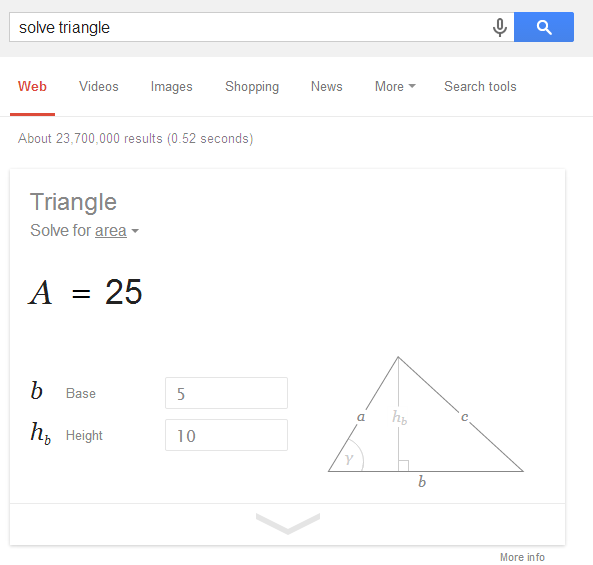
Google has an interactive search widget that solves geometry problems. You can search for [solve triangle], [area of a circle], [volume of a sphere], [perimeter of a trapezoid], [area of a pentagon], [hypotenuse calculator], [triangular prism volume], [calculate the diagonal of a cube with 6mm edge], [volume of a cylinder with radius 4cm and height 8cm], [a^2+b^2=c^2 calc a=4 b=7 c=?] and more.


Click the arrow and Google will show you the solution. Click one of the input boxes and the value is highlighted.


"Supported shapes: 2 and 3 dimensional curved shapes, platonic solids, polygons, prisms, pyramids, quadrilaterals, and triangles. Supported formulas and equations: Area, circumference, law of sines and cosines, hypotenuse, perimeter, Pythagorean theorem, surface area, and volume."

{ Thanks, Jonah Langlieb. }

March 11, 2014

Restaurant Menus in Google Search

Google mentioned this feature a few weeks ago, but I think it's important enough to write a post about this. If you're in the US and you search for the name of a restaurant followed by "menu", Google will display the restaurant's menu above the list of results.


"Next time you're planning a brunch or a date night, check to make sure the menu has something to satisfy everyone in your group, without having to browse through several restaurants' websites. Just search Google to show you the menu for the eatery you're considering and you can see it right on the top of your search page — complete with tabs for different parts of the menu (like appetizers, brunch or dinner) and, often, prices — before you make your reservation. Menus are available in the U.S. only for now."

Google used to display short answers to simple questions and now it shows full restaurant menus, driving directions, animated widgets with details weather information, long lists of sport results, facts and more.


Google's goal used to be sending people to the most relevant results. Now Google wants to show the best answers and that's the reason why search results are less important. As more and more people use smartphones to search the web, Google has to provide answers, not just search results. Having to open multiple pages, scroll to the right section to find an answer is inconvenient, especially if you are on the go, your internet connection is slow and you don't have too much time.

Google Drive Add-ons

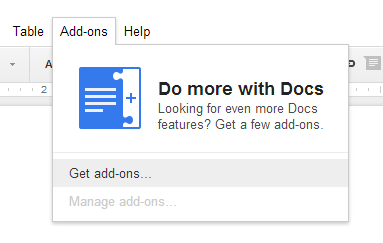
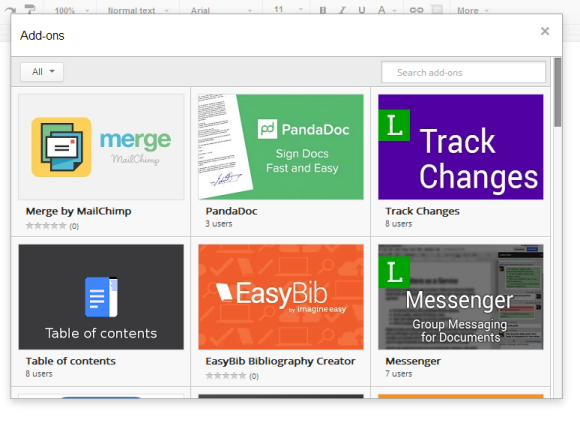
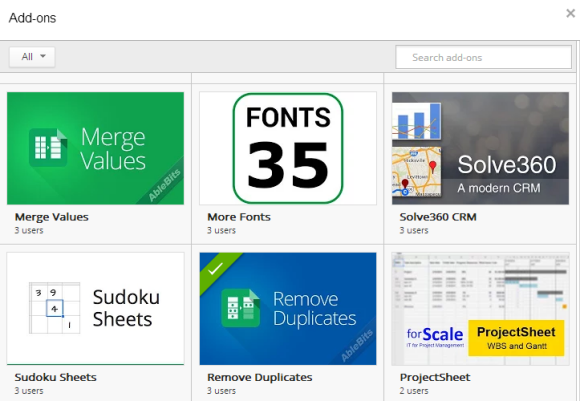
Google Docs and the new version of Google Sheets now support add-ons. Just click the new Add-ons menu, select "Get add-ons" and install some of them. They're not browser extensions, they're just ways to add new features to Google Docs and Sheets. Some of them are developed by Google, while others are developed by third-parties.


"Once you install an add-on it will become available across all of your documents or spreadsheets and you can start using it right away," informs Google. You can always find them in the Add-ons menu.

There are add-ons that translate the selected text, find synonyms, create a table of contents, insert maps, create charts from spreadsheets, generate bibliography, check your writing for consistency, add mail merge to Google Docs, print address labels, remove duplicates, import Google Analytics data and more.


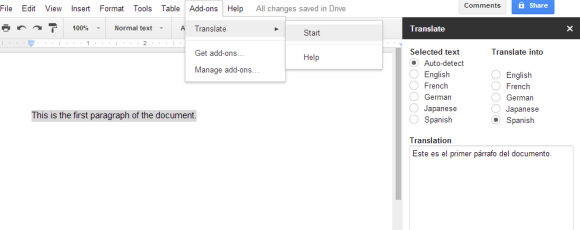
Here's the Translate add-on in action. Select some text, go to the Add-ons menu, click Translate and Start. You can select the destination language in the sidebar that shows up. For some reason, only a few destination languages are supported.


A Google Experiment Makes Page Titles Bigger

Google tests a new search interface for desktop that removes underlines from links and increases text size for page titles.


Here's a screenshot that shows both the experimental UI for search results and the standard interface:


{ Thanks, Matt Cleinman. }

February 24, 2014

Google's Blink Easter Egg

There's a new Google Easter Egg: search for [blink html] and the words "blink" and "html" will start to flash slowly. It also works for [blink tag] Google uses CSS3 animations to emulate the <blink> HTML element because it is no longer supported by modern browsers.

"The blink element is a non-standard presentational HTML element that indicates to a user agent (generally a web browser) that the page author intends the content of the element to blink (that is, alternate between being visible and invisible). Despite its initial popularity amongst home users in the 1990s, it has since fallen out of favor due to its overuse and the difficulty it presents in reading," explains Wikipedia.


{ via Search Engine Roundtable and Ilya Grigorik }


February 21, 2014

Chrome's Classic New Tab Page, No Longer Available

Chrome 33 brings some bad news for those who dislike the updated new tab page.


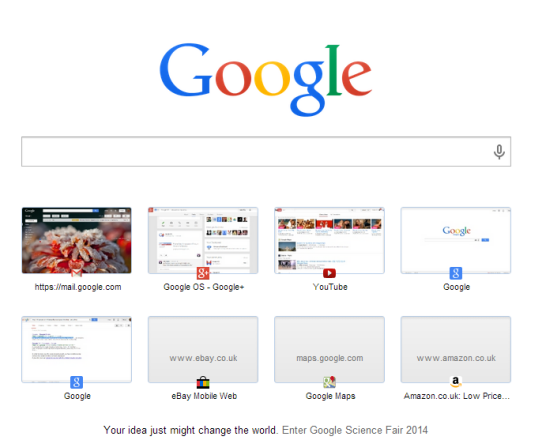
Until now, you could disable the new interface in chrome://flags: the Instant Extended API flag allowed you to do that. In Chrome 33, the flag has been removed.

Enables the Instant Extended API which provides a deeper integration with your default search provider, including a renovated New Tab Page, extracting search query terms in the omnibox, a spruced-up omnibox dropdown and Instant previews of search results as you type in the omnibox

Google says that "there are no plans at the moment to provide a way built into Chrome to change the new tab page. You can find a number of alternative New Tabs in the Web Store".

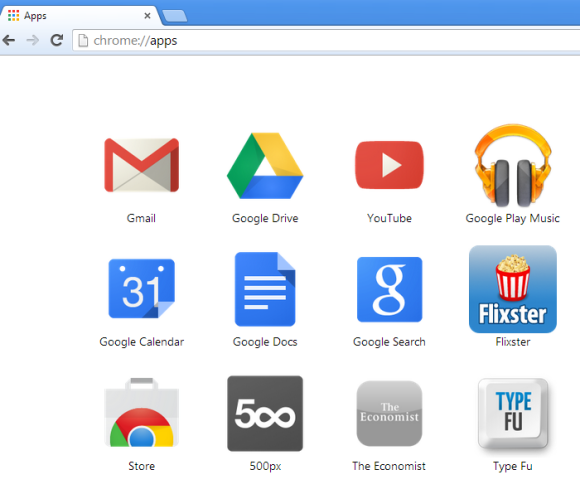
There's a Chrome extension that redirects the new tab page to chrome://apps and shows the apps you've installed. You can also set the new tab page to an empty page or pick any other page.


To learn how to use the updated new tab page, check this Help Center article. Recently visited pages are in the Chrome menu, apps have a dedicated page you can find in the bookmarks bar, there's also an app launcher you can use.

The New Google Maps Replaces the Classic Interface

Last year, Google released a completely new Google Maps interface for desktop, but made it opt-in. Since then, the Google Maps team fixed bugs, improved performance and added some of the missing features (Pegman, My Location, short URLs, multi-point directions). The next step is obvious: the new Google Maps will become the default version.

"Over the coming weeks, the new Google Maps will make its way onto desktops around the world. Many of you have been previewing it since its debut last May, and thanks to your helpful feedback we're ready to make the new Maps even more widely available," informs Google.

The new Google Maps promised to bring an immersive experience, a personalized map that shows what's relevant and helps you make smarter decisions using recommendations from your Google+ circles. It's a simplified interface that's closer to the mobile UI. Google removed some of the features from the classic interface and focused on the basics: a map you're encouraged to explore, unified directions that show the best options, instant search, permalinks, panoramic images, Google Earth and Street View without plugins.


Classic Google Maps is still available: you can switch by clicking the "?" icon at the bottom of the page and selecting "Return to classic Google Maps". You'll see this message: "You have switched back to classic Google Maps for this session. Remember this choice for next time?". Click "Yes" to always go to the old interface when visiting Google Maps.

YouTube Has a New Interface

After many months of experiments, YouTube's new interface is finally available to everyone. The layout is center aligned, the header is sticky, the guide sidebar is now a "hamburger"-style menu that includes your playlists, subscriptions and more.

"YouTube now has a center-aligned look, fitting neatly on any screen size, and feeling similar to the mobile apps you're spending almost half your YouTube time with. You can quickly flip between what's recommended and popular in 'What to Watch' like Postmodern Jukebox's Timber, and the latest from your subscribed channels like iamOTHER in 'My Subscriptions,' with both options now front and center. Click the guide icon to the right of the YouTube logo at any time to see your playlists, subscriptions and more."


You can also check some screenshots from YouTube's experiments: July, September, October, November.

February 19, 2014

Google+ Auto Backup Installer Links

If you want to install the Google+ Auto Backup app for desktop without first installing Picasa, here are the direct links to the setup files:

Windows: https://dl.google.com/dl/edgedl/picasa/gpautobackup_setup.exe

Mac: https://dl.google.com/dl/edgedl/picasa/gpautobackup_setup.dmg


After installing the software in Windows, search for Auto Backup in the Start menu/screen, click "Google+ Auto Backup" and log in to your Google account.


"It's now easier than ever to back up all of your photos with Google+ Auto-backup, available with Picasa for Windows and Mac. Automatically sync photos from your desktop computer and any time that you connect a phone, camera or storage card to Google+," informs Google.

If you go to Google+ Photos, you might see this message and a download button: "Back up photos automatically from your computer. Automatically save your photos and videos online with Google+ Auto Backup. They'll be private to you until you choose to share them, and easy to get to from all your devices."


{ Thanks, Jérôme. }