"Mom always taught us to share and now we know why: it's fun. Google Reader, which keeps track of websites you like to read regularly, just added the ability to share what you like to read with your friends." (Mihai Parparita, Google Reader)
If you use Google Reader, a feed reader similar to Bloglines, you can set labels for each feed you are subscribed to. Now you can share all the feeds that have a certain label, for example Google. Google mashes all the feeds that share the label and creates another feed you can send to your friends or embed in your site.
What Google doesn't tell you is how to customize the embedded clip to match your site design. You should go to Google Reader, click the Share link, select the label you want to share, how many items the clip should contain. Stick with the default theme, unless you really like one of the few themes provided by Google. Copy the code to your site:
<div id="googlereader">
..... the code from Google Reader ....
</div>
To customize the look, you'll use CSS. You'll just have to know that the title is a h3 element, the links are included in an unordered list, so you just have to style ul and li. The CSS will look similar to the one below:
#googlereader h3 {
font-size: 1.3em;
margin: 1.3em 0 0.5em 0;
color: red;
}
#googlereader ul {
list-style: none;
margin: 0;
padding: 10px;
}
#googlereader li {
padding-bottom: 5px;
}
If you have more than one blog, this is a good way to promote the other blogs. If you want to keep track of your favourite blogs, this is a good way of showing your visitors what do you like. Another reason for adding Google Reader to your site is if you use Blogger: each post page contains a list of 10 previous posts, but visitors can't see your latest posts which may be better and of more interest to your readers.
If you want to add the latest news from Google Operating System on you site, just copy this code:
April 4, 2006
April 3, 2006
Gmail - The Fourth Most Popular Webmail Service
 Two years after its launch, Gmail has 7.1 million US users and it's ranked fourth after Yahoo Mail with 52 million US users. AOL and Hotmail have 30 million US users each.
 On global scale, Yahoo and Hotmail lead with 226 million and 222 million users. Google has 52 million Gmail users worldwide - ranking fourth according to ComScore Networks.
Sergey Brin thinks that the service would have some "significant financial benefits" one day. "We are spending an increasing proportion, but still a relatively small proportion of our engineering resources on boosting Gmail revenue". And he's right: after all, mail is the number one online activity, followed by search.
Read more:
Change Gmail appearance
Gmail horror story: Gmail account deleted
Gmail Drive shell extension
Google Personalized Homepage
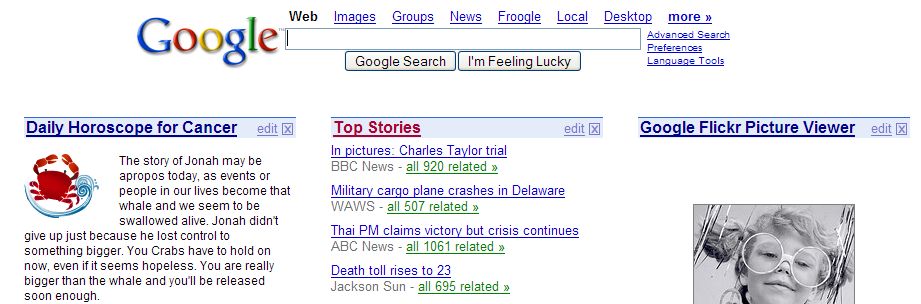 Google users can create a personalized page that can contain latest news from your favourite sites and some interesting widgets, similar to the panels from Google Desktop. You can see the weather in your city, search torrents, create a ToDo list, lookup an IP address, enjoy interesting Flickr pictures, view your del.icio.us bookmarks or your site traffic from Alexa.
If you want to create a personalized homepage for Google, visit http://google.com/ig.
To add content to your page, go to Google Homepage Directory.
To add this blog to your Google homepage, click
 .
.
April 2, 2006
Fingerprints Can Reveal Your Addictions
Fingerprints could give clues about the lifestyle of a person, and that may help forensic investigations.
"Researchers in the UK are uncovering the ways fingerprints are changed by age, smoking, drug use and even some personal grooming products.
There are a lot of lipids in fingerprints and there are a lot of possibilities for that.
Drug users typically excrete the metabolised products of the chemical they use. For instance, smokers are known to secrete cotinine, a chemical produced when the human body breaks down nicotine."
Fingerprint-based systems are likely to be extensively used in the future for authentication. Can you imagine a Google site where you can logon with your fingerprint? Google will know not just who you are, what you've searched, what do you like, but also what's your medical condition, if you smoke or take drugs. Google could personalize the results and promote the sites that offer medical advice relevant to your condition.
Source: BBC News.
Related:
Gmail users need fingerprint readers
Do you trust your computer?
"Researchers in the UK are uncovering the ways fingerprints are changed by age, smoking, drug use and even some personal grooming products.
There are a lot of lipids in fingerprints and there are a lot of possibilities for that.
Drug users typically excrete the metabolised products of the chemical they use. For instance, smokers are known to secrete cotinine, a chemical produced when the human body breaks down nicotine."
Fingerprint-based systems are likely to be extensively used in the future for authentication. Can you imagine a Google site where you can logon with your fingerprint? Google will know not just who you are, what you've searched, what do you like, but also what's your medical condition, if you smoke or take drugs. Google could personalize the results and promote the sites that offer medical advice relevant to your condition.
Source: BBC News.
Related:
Gmail users need fingerprint readers
Do you trust your computer?
Windows Live Mail Review
Ok, this is not a joke. No more April Fool's Day pranks. This a serious review for Windows Live Mail Beta, an innovative webmail system from Microsoft, that wants to replace the good old Hotmail.
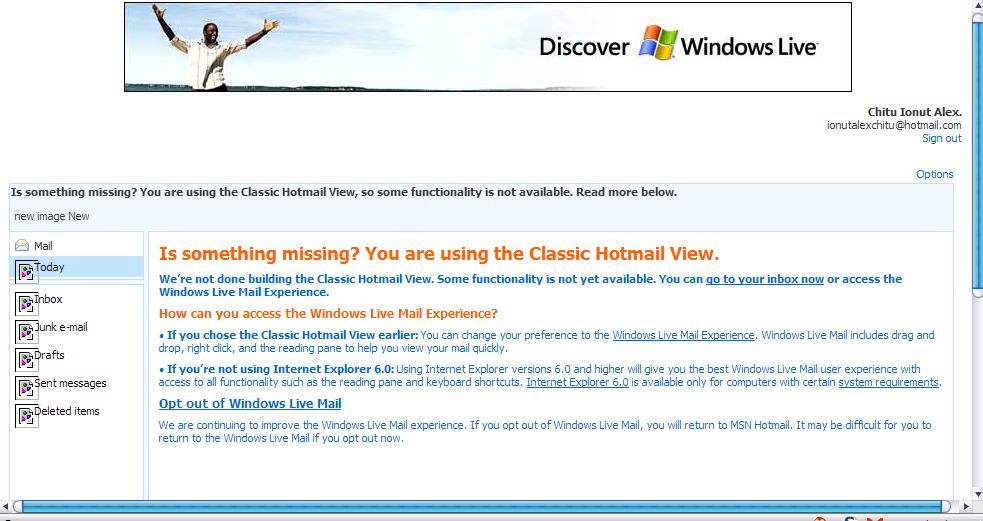
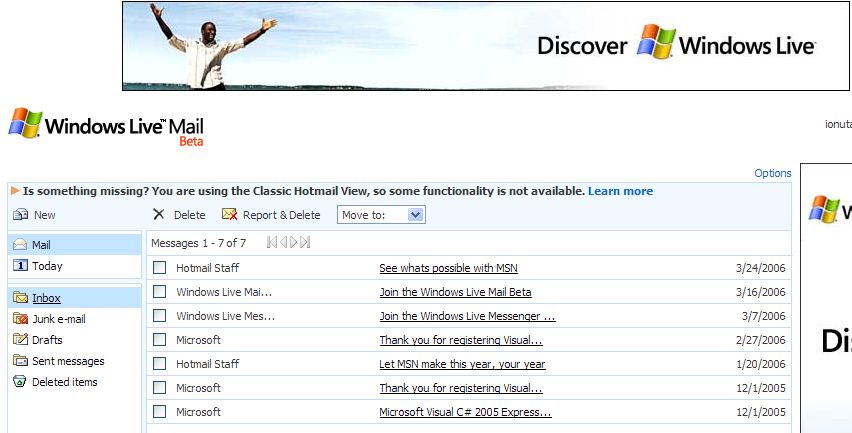
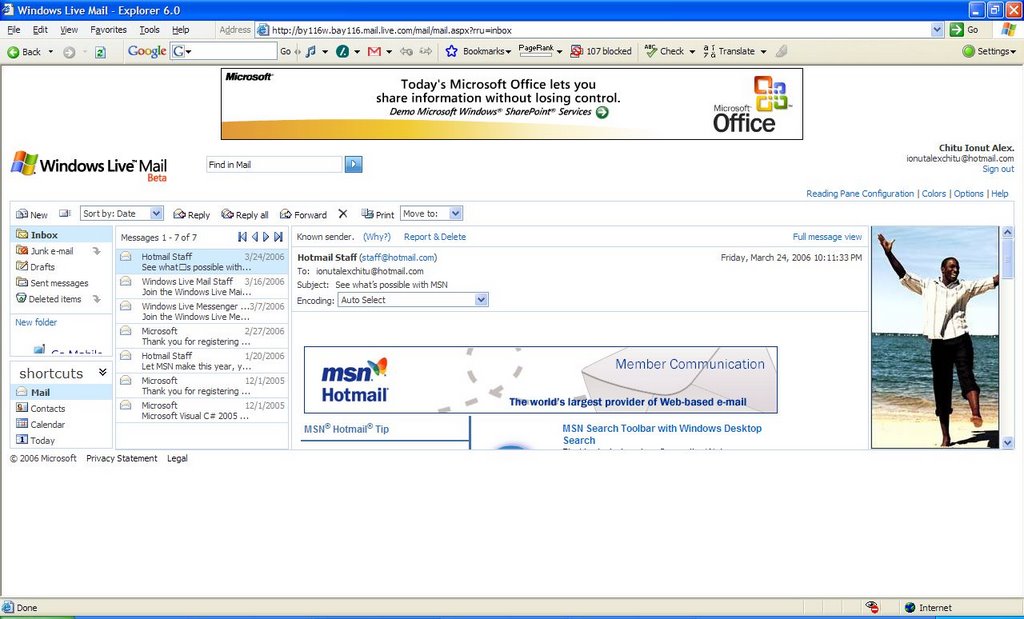
But how can you be serious when you get this? Look closely, click on the image to enlarge it. This is Microsoft's Gmail-killer.
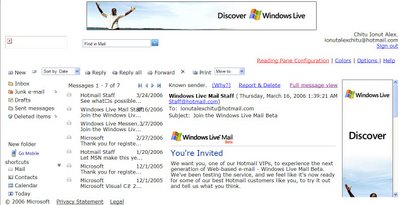
Ok, so the interface is messed up, the navigation system is not built with text links, or images, there's just some text that has onclick events, so when you go to the mouse over the text, the cursor doesn't change.
You can barely see your mail, the advertising is very close to the scrollbar (like the new Yahoo Mail) and sometimes comes on top of your content, the mail search doesn't work, the rich-text editor has flaws (you can't change the font size).
Of course, you have 2 GB mail space and a Ajax-based interface. But who cares when you actually can't work with this pre-alpha mail client. Fortunately, you have the option to switch to the classic interface and keep the 2 GB.
I tested Windows Live Mail on Windows XP with Internet Explorer SP2. If you try to open it with Firefox, you'll get an unfriendly message and then you'll have to select the classic view, because, as you know, Firefox is not powerful enough to render Windows Live Mail correctly.
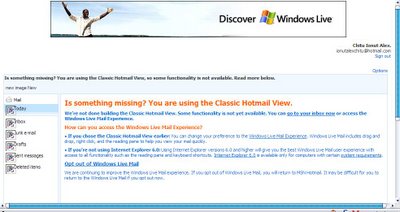

To see for yourself, get an invitation from ideas.live.com.
Let's see my ratings:
Yahoo Mail Beta: 7/10
Gmail rating: 8.5/10
Windows Live Mail Beta: 4/10
Related:
Yahoo Mail Beta Review
The new Yahoo Mail will have obtrusive ads
5 fast ways to check your Gmail account
Update: I refreshed IE a couple of times and the interface seemed better, but what if I resize the page?

But how can you be serious when you get this? Look closely, click on the image to enlarge it. This is Microsoft's Gmail-killer.
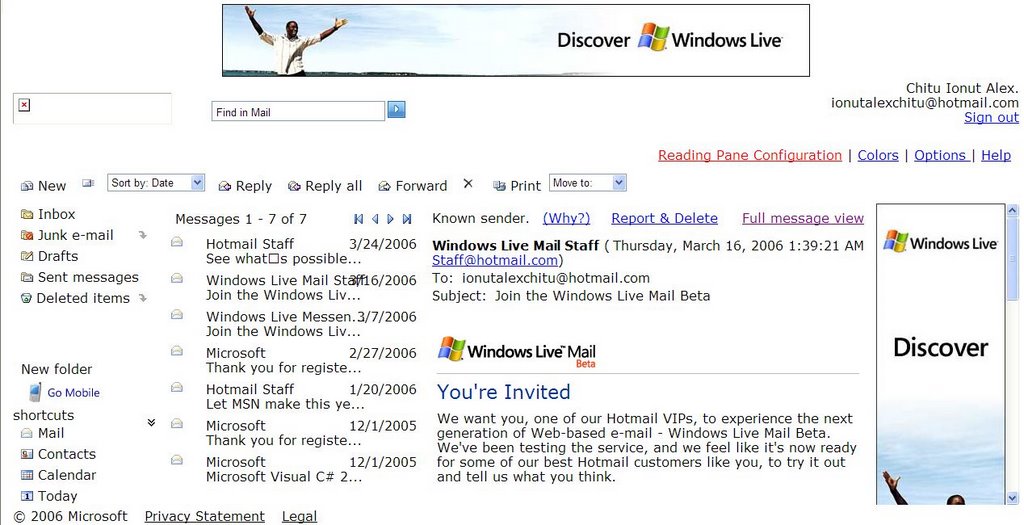
Ok, so the interface is messed up, the navigation system is not built with text links, or images, there's just some text that has onclick events, so when you go to the mouse over the text, the cursor doesn't change.
You can barely see your mail, the advertising is very close to the scrollbar (like the new Yahoo Mail) and sometimes comes on top of your content, the mail search doesn't work, the rich-text editor has flaws (you can't change the font size).
Of course, you have 2 GB mail space and a Ajax-based interface. But who cares when you actually can't work with this pre-alpha mail client. Fortunately, you have the option to switch to the classic interface and keep the 2 GB.
I tested Windows Live Mail on Windows XP with Internet Explorer SP2. If you try to open it with Firefox, you'll get an unfriendly message and then you'll have to select the classic view, because, as you know, Firefox is not powerful enough to render Windows Live Mail correctly.
To see for yourself, get an invitation from ideas.live.com.
Let's see my ratings:
Yahoo Mail Beta: 7/10
Gmail rating: 8.5/10
Windows Live Mail Beta: 4/10
Related:
Yahoo Mail Beta Review
The new Yahoo Mail will have obtrusive ads
5 fast ways to check your Gmail account
Update: I refreshed IE a couple of times and the interface seemed better, but what if I resize the page?
Google Talk Tips & Tricks
Some people say Google Talk is nice because of its minimalistic design, but they coudn't use an Instant Messenger that doesn't have smileys and font customization. Here are some tips that will make your work with Google Talk better.
Keyboard shortcuts
* CTRL + Mousewheel up/down: Change the font size in a conversation window.
* CTRL + E: Center text
* CTRL + R: Right justify text
* CTRL + L or CTRL+J: Left justify text
* F9: Open Gmail to send an email to the person you talk to
* F11: Start a call
* F12: Stop the current call
* ESC: Close the current window
Conversation
* Some smileys are converted by Google Talk: :-| :-O :-x :-P :-D ;-) :-( :-) B-) :'( :| :O :x :P :D :) :( :)
* To write bold text, type *your gtalk message*
* To write italic text, type _your gtalk message_
Startup parameters (go to Start/Run and type "c:\Program Files\Google\Google Talk\googletalk.exe" /one_parameter_from_the_list_below)
* /nomutex: allows you to open more than one instance of Google Talk.
* /register: write Google Talk settings in the registry.
* /checkupdate: check for new version.
* /factoryreset: revert to default settings.
* /mailto email@gmail.com: send an email with Gmail.
* /diag: start Google Talk in diagnostic mode.
Related:
New Google Talk build (includes avatars)
Keyboard shortcuts
* CTRL + Mousewheel up/down: Change the font size in a conversation window.
* CTRL + E: Center text
* CTRL + R: Right justify text
* CTRL + L or CTRL+J: Left justify text
* F9: Open Gmail to send an email to the person you talk to
* F11: Start a call
* F12: Stop the current call
* ESC: Close the current window
Conversation
* Some smileys are converted by Google Talk: :-| :-O :-x :-P :-D ;-) :-( :-) B-) :'( :| :O :x :P :D :) :( :)
* To write bold text, type *your gtalk message*
* To write italic text, type _your gtalk message_
Startup parameters (go to Start/Run and type "c:\Program Files\Google\Google Talk\googletalk.exe" /one_parameter_from_the_list_below)
* /nomutex: allows you to open more than one instance of Google Talk.
* /register: write Google Talk settings in the registry.
* /checkupdate: check for new version.
* /factoryreset: revert to default settings.
* /mailto email@gmail.com: send an email with Gmail.
* /diag: start Google Talk in diagnostic mode.
Related:
New Google Talk build (includes avatars)
April 1, 2006
Is Google Browser the Greatest Browser?
 Why should you use Google Browser?
* You don't need a mouse to use it. Everything can be done using keyboard shortcuts, without dialogs and buttons.
* You don't need extensions for popup blocking, advertising blocking.
* You'll never need printer-friendly versions for a page.
* You won't waste time and bandwidth downloading useless pictures and Flash intros.
* Marissa Mayer uses Pine for business mail - "a simple text-based mailer in a crunchy little terminal window with Courier fonts". Google Browser can also read your mail.
* You don't need help files. You just need to know:
Use the up and down arrow (cursor) keys to move between links.
To follow the link to the next webpage, press the right arrow (or hit Enter).
To go back a page, use the left arrow.
Use Page Up/Page Down to move between screens.
To visit a new site, type g, then the site address and press enter.
Pressing the foward slash key , ‘ / ‘, allows you to search the current page for a keyword.
Stop page loading pressing z, quit the browser with q.
More about Google Browser and the story of an April Fool's Day news.
New Wireless Technology: Extension Cords
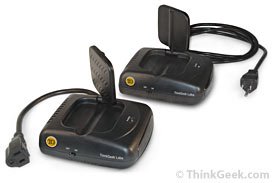 ThinkGeek discovered a very useful tool that helps you get rid of long cords and troublesome cables.
"Now you can put anything in any room you want - even outside. Every once in a while, though, a long cord across the floor can be more dangerous than helpful. Sure you could just put a carpet or tape over the cord, but why bother? Let technology solve its own problems. Grab some Wireless Extension Cords, and leave the wires where they belong - somewhere else!
Just plug the Wireless Extension Cord (WEC) base unit into a standard wall outlet, and plug whatever you need into the satellite unit. The WEC uses microwaves in the 7.2GHz range, so it won't interfere with wireless networks, Bluetooth components, etc."
I wonder, is it dangerous to use this Wireless Extension Cord?
Update:
This is an April Fool's Day joke.
Read about wireless electricity and Tesla coil.
Best Of April Fool's Day
 Slashdot turns pink
"Our marketing department has done extensive research over the last 3 quarters and discovered that our audience is strangely disproportionately skewed towards males. Like, 98.3% males to be precise. To correct this oversight, we have decided to subtly tweak Slashdot's design and content to widen our appeal to these less active demographics."
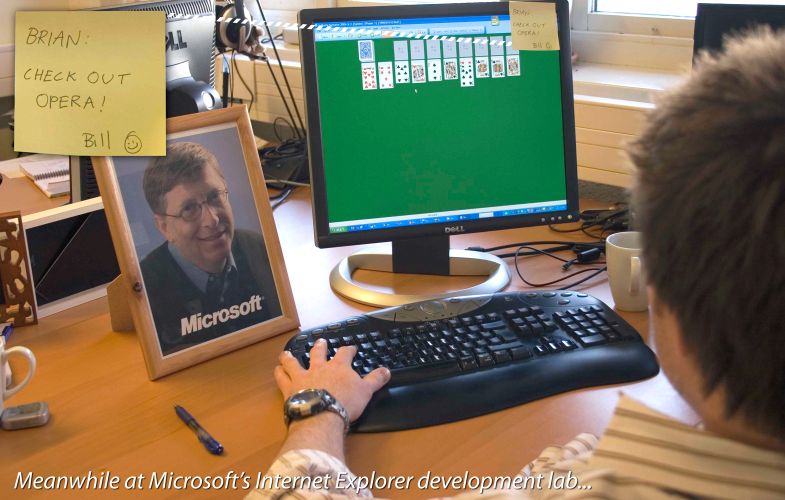 Opera Models
"Opera Models is a groundbreaking new online photo library that aims to offer realistic images of normal people and how they really use technology in their everyday lives. Opera Models was started as an alternative to the polished style of existing photo libraries that reinforce traditional stereotypes of beauty and trendy lifestyles rather than accurate representations of reality."
More April Fool's Day at Wikipedia.
The Real Google Prank: Google Romance
This year's Google prank isn't Google Browser or Google Rooms, nor the launch of Google Calendar, Google MBD, Google Health and not even the public release of Gmail. It's Google Romance.
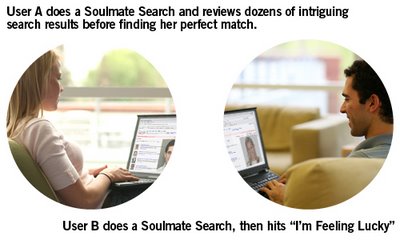
"Ever been on a date and wondered "What on Earth am I doing with this person?" Or perhaps you wished there was a way that you could instantly find your perfect match, and then go on a date during which everything just went right?
Wish no more: Google Romance, a beta product currently incubating in Google Labs, uses cutting-edge personal search algorithms to help you find your soulmate, then sponsors your first Contextual Date with said soulmate-to-be in exchange for showing you highly relevant advertising that just might help Cupid's arrow find its mark. Does it really work? Ask our internal beta testers -- if you can find them, that is. Not a single one has shown up for work in days." (Google Blog)
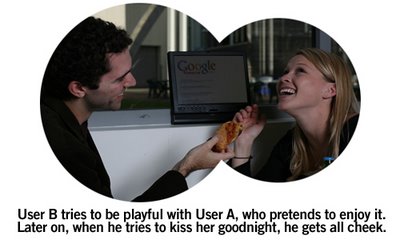
"Our internal projections say Contextual Dating is going to be unbelievably huge, just a total cash cow," said Google CEO Eric Schmidt in prepared remarks placed into the notes section of an executive PowerPoint presentation and intended solely for internal use but promptly leaked onto the web and then roundly mocked on Digg and Slashdot.
Use Google Romance and "you'll live happily, and contextually, ever after."
"Ever been on a date and wondered "What on Earth am I doing with this person?" Or perhaps you wished there was a way that you could instantly find your perfect match, and then go on a date during which everything just went right?
Wish no more: Google Romance, a beta product currently incubating in Google Labs, uses cutting-edge personal search algorithms to help you find your soulmate, then sponsors your first Contextual Date with said soulmate-to-be in exchange for showing you highly relevant advertising that just might help Cupid's arrow find its mark. Does it really work? Ask our internal beta testers -- if you can find them, that is. Not a single one has shown up for work in days." (Google Blog)
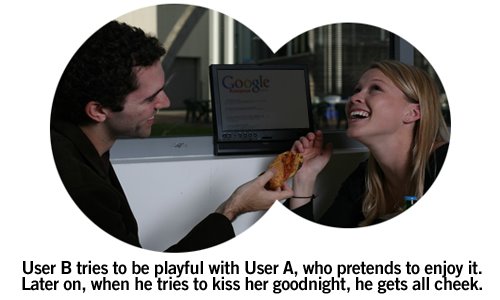
"Our internal projections say Contextual Dating is going to be unbelievably huge, just a total cash cow," said Google CEO Eric Schmidt in prepared remarks placed into the notes section of an executive PowerPoint presentation and intended solely for internal use but promptly leaked onto the web and then roundly mocked on Digg and Slashdot.
Use Google Romance and "you'll live happily, and contextually, ever after."
Subscribe to:
Posts (Atom)
