An unofficial blog that watches Google's attempts to move your operating system online since 2005. Not affiliated with Google.

Send your tips to gostips@gmail.com.

November 28, 2012

YouTube's New Interface, Closer to Launch

YouTube continues to test new user interfaces, but it looks like one of these versions will be finally rolled out to everyone.

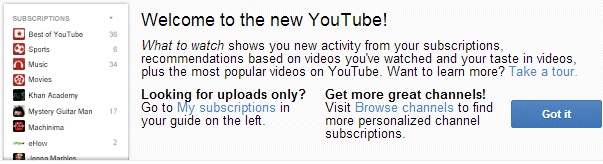
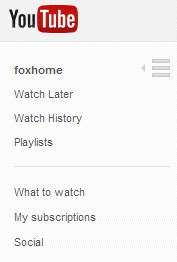
There's a new message on the experimental homepage that welcomes users to the new YouTube and explains one of the new features: "What to watch shows you new activity from your subscriptions, recommendations based on videos you've watched and your taste in videos, plus the most popular videos on YouTube". YouTube also links to a page that was used the last time when YouTube was redesigned. You can see the old page in Google's cache, but now the page returns a 404 error message.


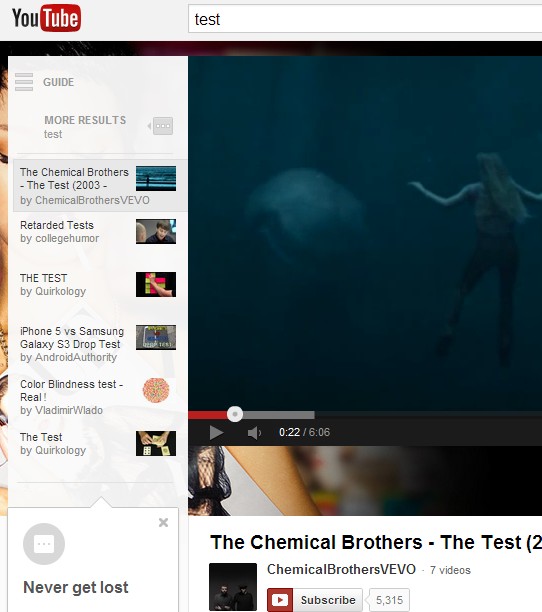
YouTube has constantly tested new versions of the sidebar from video pages. This time there's a new sidebar section that shows other related videos. You can "get the search results, feeds, and channel videos you were just looking at". For example, you can perform a search, click one of the results and see the list of results by clicking "more results" in the sidebar, instead of going back to the search results page.

The sidebar is the most important thing about the new YouTube interface because it's always there: on the homepage, the settings page, the search results page and can be expanded when you watch videos.


To try the new YouTube interface, check the instructions from this post.

Google Shows Flight Notifications

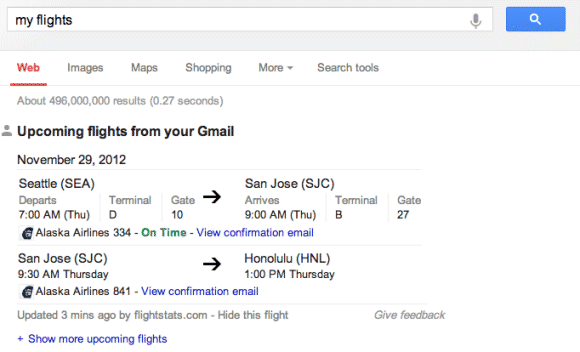
Back in August, Google released an experiment that integrated Google Search with Gmail. Besides returning results from Gmail, Google also detects flight-related confirmation messages so that it can show additional information for your upcoming flights. You can try this feature by searching for [my flights], as documented here.


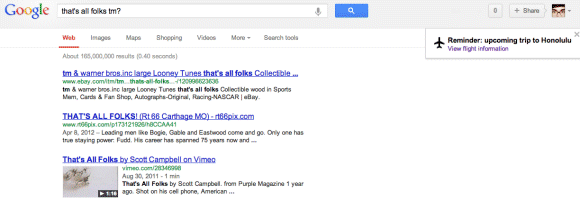
What Google doesn't mention is that it also shows flight notifications. They look just like the Google+ birthday reminders.


Flight notifications aren't a new feature (someone spotted it in September), but I thought it's worth mentioning it. There's a lot of valuable information that can be obtained from Gmail messages, as you can see from the latest Google Now update, which shows cards for flights, packages, hotel reservations, event bookings and more. Maybe Google Now will have a desktop interface and it will replace some of the iGoogle features.

{ Thanks, Matt. }

November 27, 2012

Replace Gmail Attachments With Google Drive Files

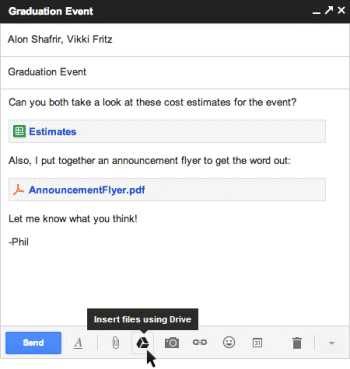
I was complaining in a recent post that Gmail doesn't properly integrate with Google Drive and doesn't let you upload files to Google Drive instead of sending attachments. The new compose interface added this feature and you can now click "insert files using Drive", upload a file or select an existing one.


It's still not a seamless experience, you have to click a separate button and deal with permission issues, but it encourages users to upload files to Google Drive and use the Google Drive apps. Gmail tries to solve permission issues by prompting with the option to change sharing settings.

Why would you upload files to Google Drive instead of using attachments? You can send bigger files (10 GB files vs 25 MB attachments), you can edit documents collaboratively, write comments, upload new versions of the files and manage revisions, you can delete the file or change permissions.

Unfortunately, when you send links to Google Drive files, it's more difficult to download the files and you can no longer download them with one click.

There's another problem: Gmail offers 10 GB of free storage, while Google Drive offers 5 GB of free storage, excluding Google Docs/Sheets/Slides files. More free storage would make GDrive more attractive.

Google says that GDrive integration is "rolling out over the next few days and is only available with Gmail's new compose experience".

{ via Gmail Blog }
November 17, 2012

YouTube TV Pop Out

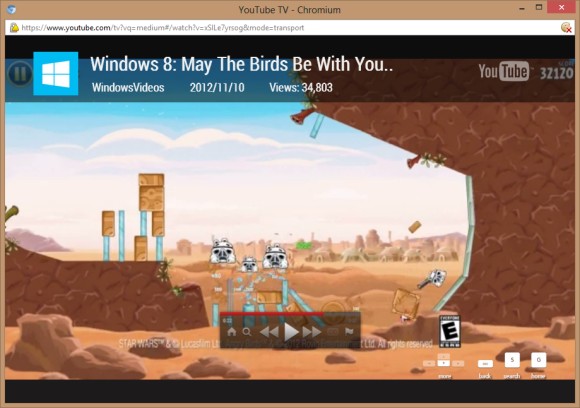
When you right-click on a YouTube video and select "pop out", you'll notice a new TV-optimized interface. There are new buttons for pausing the video, fast forward and rewind, searching YouTube and visiting a visual homepage.


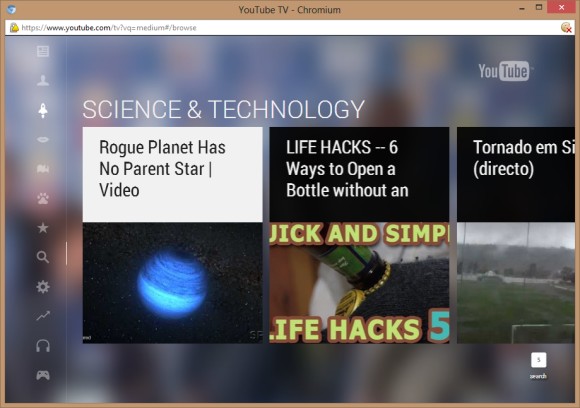
Click the "home" button or press "g" to find videos from various categories like sports, science, comedy, news, music. Use the keyboard arrows to navigate to a different category and browse the videos. Press "Esc" to go back to the previous screen.


The TV-optimized interface replaces YouTube Leanback and it's also available if you visit youtube.com/tv.

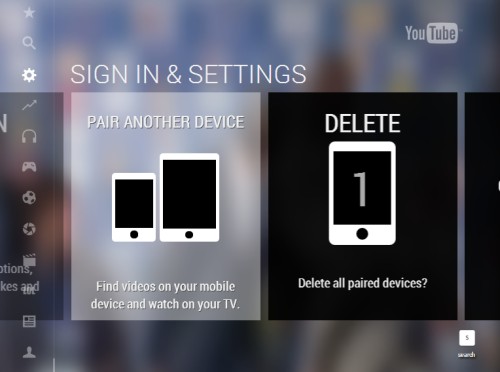
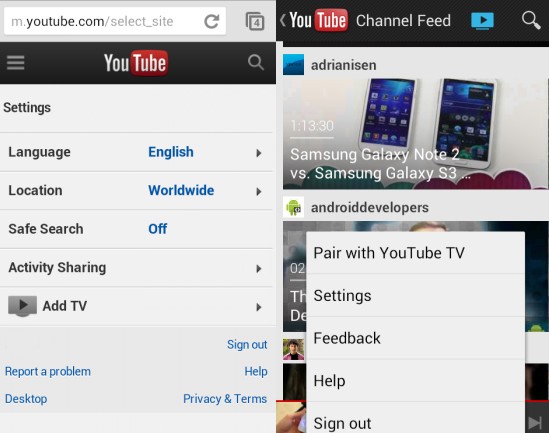
YouTube has made it easier to watch YouTube videos on your TV by pairing a mobile device to a Google TV, Xbox 360, PlayStation 3, Blu-ray player or smart TV. You just need to open the YouTube app or go to youtube.com/tv on your TV (or computer), find the pairing section and get the code. Then go to m.youtube.com on your mobile device or open YouTube's Android app, find the "add TV" option in the settings or the "pair with YouTube TV" option in the menu and enter the code. Google TV is automatically paired with all the devices from the same WiFi network, but only if you use the latest software. Now you can control your YouTube TV screen from your mobile device just like using Apple's AirPlay feature. Touch the "play" button to send the video to your TV, you can pause or resume the video, add videos to a queue, skip to the next video, change the volume and more.


{ Thanks, Sterling. }

November 16, 2012

Export Google Reader Data in Google Takeout

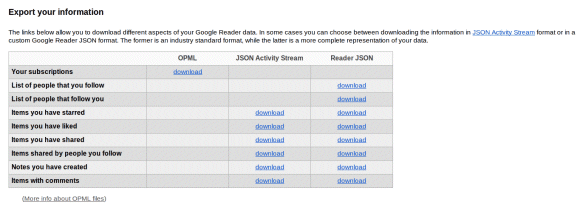
When Google Reader dropped support for the built-in sharing features and integrated with Google+, the settings page added a long list of JSON files you could save to your computer to export your followers, the items you've shared or starred, your notes and more. Until then, you could only export your subscriptions.


Now all these files can be downloaded from Google Takeout, a service that lets you export data from Google+, Google Drive, Google Contacts, Picasa Web, YouTube and more. Reader is probably the only Google service that sends users to Google Takeout to export data.


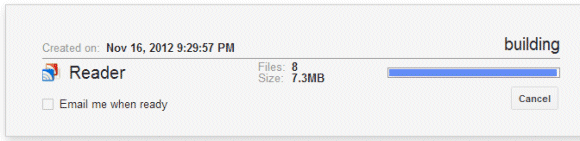
Unfortunately, you need to download 8 files even if you only want to export the subscriptions OPML file. Google has to create a ZIP archive first, so you'll have to wait a lot more. Instead of downloading a small XML file, you need to download a large archive (34MB for my account). That's a general issue with Google Takeout, which only lets you download all your YouTube videos, all your Picasa Web photos, all your Google Drive files.

Another service recently added to Takeout is Google Latitude. You can download a JSON file with your location history data.

Let's hope that developers will create cool apps that parse these JSON files and make them more useful. Maybe Google should also offer human-readable formats like HTML.

{ via Data Liberation Blog. Thanks, Herin. }

The Best Chromebook?

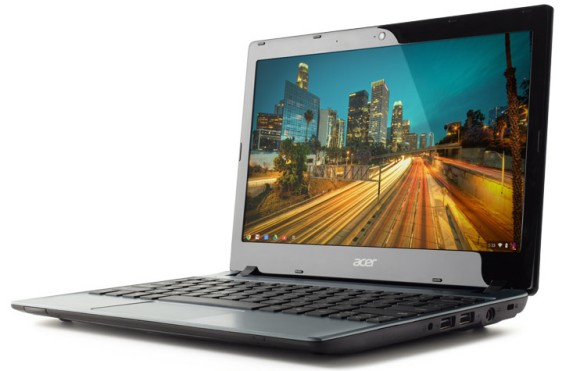
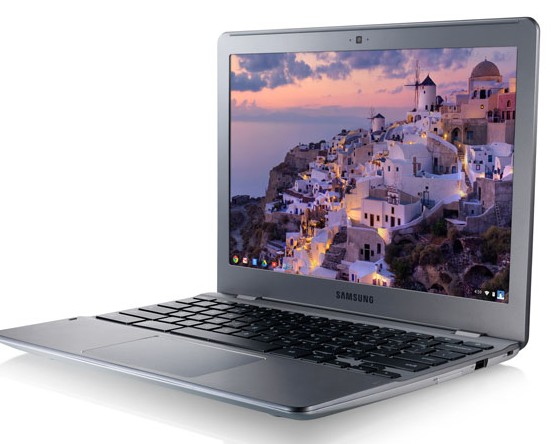
Google now offers 3 Chromebooks and it's quite difficult to decide which is the best one for you. There are 2 Chromebooks from Samsung: one of them uses a high-end ARM SoC, while the other one uses a low-end Intel Celeron CPU with performance that's comparable to a Intel Core 2 Duo CPU from 2006-2007. There's also a Chromebook from Acer that uses a less powerful Celeron CPU, it replaces the standard 16 GB Flash storage with a 320 GB HDD and has a weird keyboard that seems to be borrowed from a Windows netbook.


For some reason, Samsung's Intel Chromebook is a lot more expensive than both the ARM Chromebook and the Acer Chromebook. Sure, it has a better screen, the most powerful CPU, Gigabit Ethernet and the largest battery, but the Acer Chromebook is $250 less expensive. On the other hand, buying a Chromebook with a hard-disk drive is a terrible idea because it impacts performance and you won't be able to use so many gigabytes in Chrome OS. The Acer Chromebook also has a poor battery life (only 3.5 hours of usage) and it's thicker.


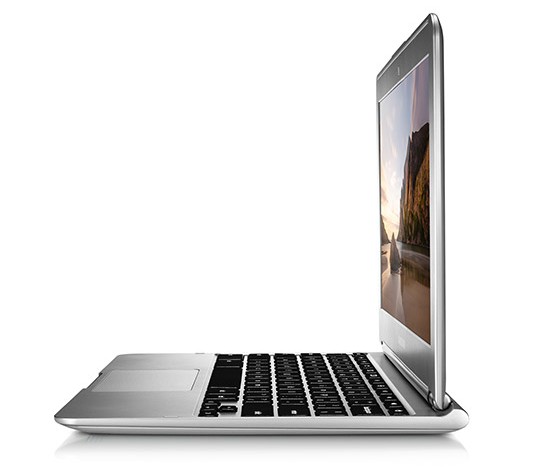
The ARM Chromebook is the most efficient, the most silent and the lightest Chrome OS laptop ever released. Even if it only has a 2-cell battery, you can use it for more than 6.5 hours, which means it's 2 times more efficient than the Acer Chromebook. It also has the best GPU ever included in a Chromebook, which means it's great for watching HD videos and playing WebGL games. After all, Samsung used the same system-on-a-chip for the Nexus 10 tablet. It's too bad that the Series 3 ARM Chromebook doesn't have the screen from the Samsung Series 5 550 Chromebook, which has a better aspect ratio (16:10 vs 16:9) and it's brighter.


To sum up, I think the best Chromebook right now must be Samsung's Series 3 ARM Chromebook, followed by Samsung 550 and Acer C7. The Acer C7 Chromebook is the most customizable Chromebook, since you can add more RAM, replace the HDD and remove the battery.


Samsung ChromebookSamsung Chromebook 550Acer C7 Chromebook
CPUExynos 5250 1.7GHz dual-core ARMCeleron 867 1.3GHz dual-core - 1271 CPU MarkCeleron 847 1.1GHz dual-core - 1016 CPU Mark
GPUMali T604Intel HD GraphicsIntel HD Graphics
RAM2 GB4 GB2 GB (expandable to 4GB)
Fanlessyesnono
Camera0.3MP1MP1MP
Display11.6’’, 1366x768, 200 nits12.1’’, 1280x800, 300 nits11.6’’, 1366x768, 200 nits
Ports1xUSB3, 1xUSB2, 1xHDMI2xUSB2, DisplayPort3xUSB2, 1xHDMI, 1xVGA
Connectivitydual band Wi-Fi 802.11 a/b/g/n, optional 3G ($80)dual band Wi-Fi 802.11 a/b/g/n, Gigabit Ethernet, optional 3G ($100)dual band Wi-Fi 802.11 a/b/g/n, 10/100 Ethernet
Speaker3W stereo4W stereostereo
Camera0.3MP1MP1MP
Card slotSD/ SDHC/ SDXCSD/ SDHC/ SDXC/ MMCSD/ MMC
Weight1.1 kg/2.43 lbs1.37 kg/3.02 lbs1.38kg/3.05 lbs
Thickness0.69’’0.83’’1.08’’
Battery2 cell, 30Wh, 6.5 hours4 cell, 51Wh, 6 hours4 cell, 37Wh, 3.5 hours (removable)
Price$249$449$199

Turn-By-Turn Navigation in Google Maps for iOS

The Wall Street Journal reports that the Google Maps app for iOS is almost ready for launch. "Google has been putting the finishing touches on the app before submitting it for approval to the Apple iTunes store, though it's unclear exactly when that will happen."

The new app will include all the feature from Apple's old maps app, but also turn-by-turn navigation. It's likely that Google wants to build a better app than the built-in iOS 6 maps app, so it must include turn-by-turn directions and flyover maps.

Even if Google submits the app for approval in the coming weeks, it's not obvious that you'll be able download it so soon because Apple could reject the app or delay its approval. The new version of the Google Search app for iOS was announced 3 months ago, but it was approved two weeks ago.

For now, you can use the Google Maps web app, which has recently added support for Street View. There's also the great Nokia Maps web app.

YouTube Tests a New Video Player

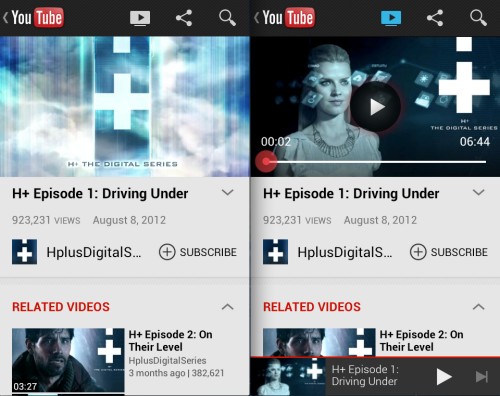
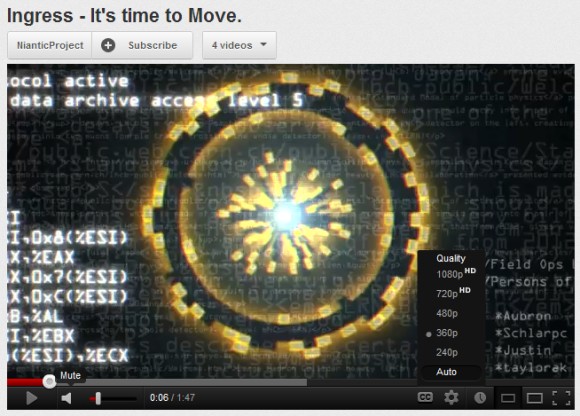
YouTube tests new versions of the homepage and video pages, but also a new video player. The new interface replaces the gray shades with pure black, updates the icons and tweaks the progress bar color.

For some reason, the old interface was more subtle, while the new one seems to be more in-your-face. Now that YouTube tests a white background for video pages, the new player stands out more.

Here's the experimental player:


... and the player from the standard interface:


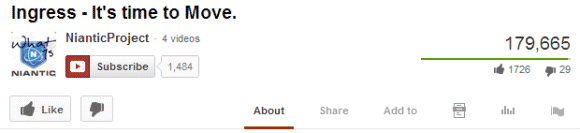
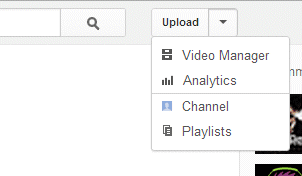
To try the new player, change your YouTube cookies using the instructions from this post. There are some other changes: new options in the "upload" drop-down, "now playing" is replaced by "what to watch", YouTube now shows the number of subscribers and there's a new way to display the number of likes and dislikes.


November 15, 2012

Gmail Finds Similar Words and Spelling Mistakes

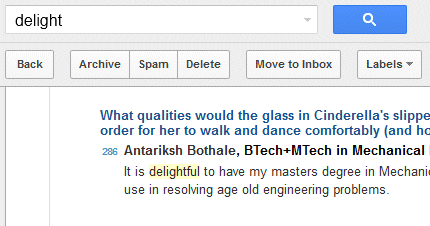
Gmail has constantly improved its search feature in the past few months. After adding spell checking, suggestions, searching inside attachments, Gmail now matches similar words that have the same root. You can find a message even if you don't remember the exact words and that's pretty helpful.

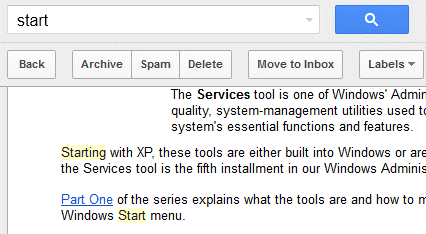
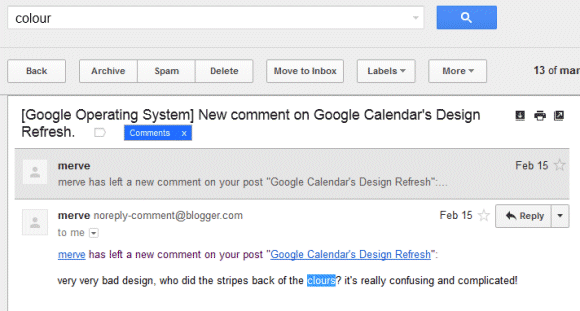
Now you can search for [cat] and find messages that include the word [cats], search for [start] and find messages that only include [starting], search for [usable] and match [usability], search for [colour] and match [color], [coloured], [colours], [multicolor] and more.


Gmail also finds spelling mistakes like "clours" instead of "colours".


Gmail's search feature is less sophisticated than Google Search, so Gmail won't find synonyms and acronyms. You won't find messages that include "New York" when you search for [NY] or messages that include "tv" when you search for [television], at least not yet.

To prevent Gmail from finding related matches, use the + operator. For example, search for [+usable] and Gmail will no longer return messages that only include "usability".

New Gmail Search Operators

Gmail added a lot of new search operators. Now you can finally filter messages by size, find old messages and mail that has no label.


Here are the new operators:

- size: lets you "search for messages larger than the specified size in bytes". For example, search for [size:512000] to find messages larger than 500 KB (1 KB = 1024 bytes). It's important to note that MIME encoding adds 33% overhead, so you may find a message that only includes a 400 KB attachment when you search for [size:512000].

- larger:, smaller: are similar to size:, but they allow abbreviations like K, M for KB, MB. Some examples: [smaller:1M] (messages smaller than 1MB), [larger:500K] (messages larger than 500KB). You can also use larger_than: and smaller_than:.

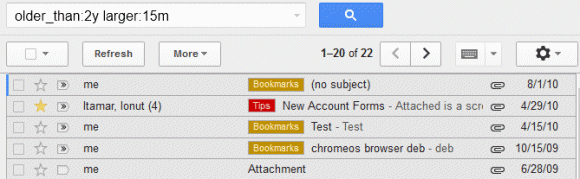
- older_than, newer_than are great for restricting Gmail results to recent or old messages. They allow to find messages older than 2 years (older_than:2y), older than 5 months (older_than:5m), but also messages sent within the past month (newer_than:1m) or the past 3 days (newer_than:3d).

- has:userlabels, has:nouserlabels are useful for finding messages that have or lack user-defined labels. Obviously, this excludes system labels like spam, chat, inbox, allmail and smart labels. You'll probably see a lot of conversations that have user-defined labels when you search for [has:nouserlabels] and that's because "Gmail applies labels to individual messages. In this case, another message in the same conversation thread has had a label applied to it."

- + (plus sign) added before a word excludes messages that match related words. For example, when you search for [start], Gmail also shows messages that include the word "starting". Change your query to [+start] and you'll only find messages that match the search term exactly. Another example: [+engineers] doesn't return search results that include "engineer". This operator used to be available in Google search, but it's now used for Google+ results and you need to use quotes for exact matches.

- rfc822msgid: is a more advanced operator that lets you find a message by the message-id header.

Now Gmail users who hit the storage limit can finally find the messages that have large attachments and delete them. They can search for [larger:5M], [larger:10M] or [larger:10M older_than:2y] and quickly delete the messages that are no longer useful.

{ via Gmail Blog }